For sales teams

Never keep a lead waiting on scheduling.

Discovery calls, demos, follow-ups — share a purpose-built booking link and prospects pick from your team’s real availability. Cut the coordination round-trips and move deals to the next step.

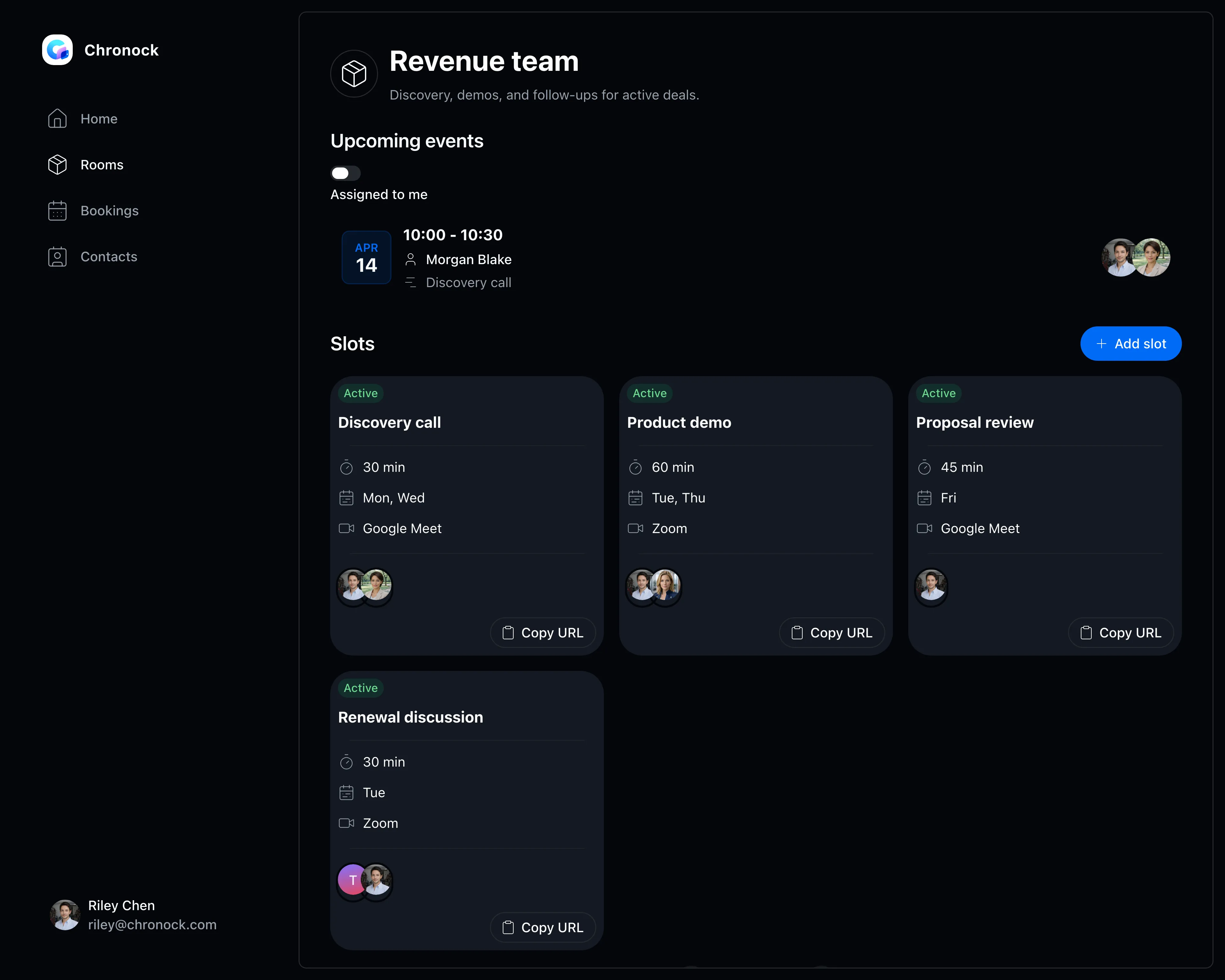
Team booking slot management screen
View pricing

Is slow scheduling cooling down your deals?

The more people involved, the harder it gets to check availability and offer times. Every day spent scheduling shows up in your conversion rate.

Email threads full of candidate times delay the first meeting by days

Checking teammates’ availability over internal chat for every deal

Booking status and history scattered across individual reps

Booking slots

Purpose-built booking links, managed as a team

Group members into rooms and keep separate booking slots for discovery calls, demos, and follow-ups.

  • Set participants, meeting length, accepted days, and meeting tool per slot
  • Copy a slot’s link and share it in emails or forms right away
  • Only times that work across members’ calendars are offered
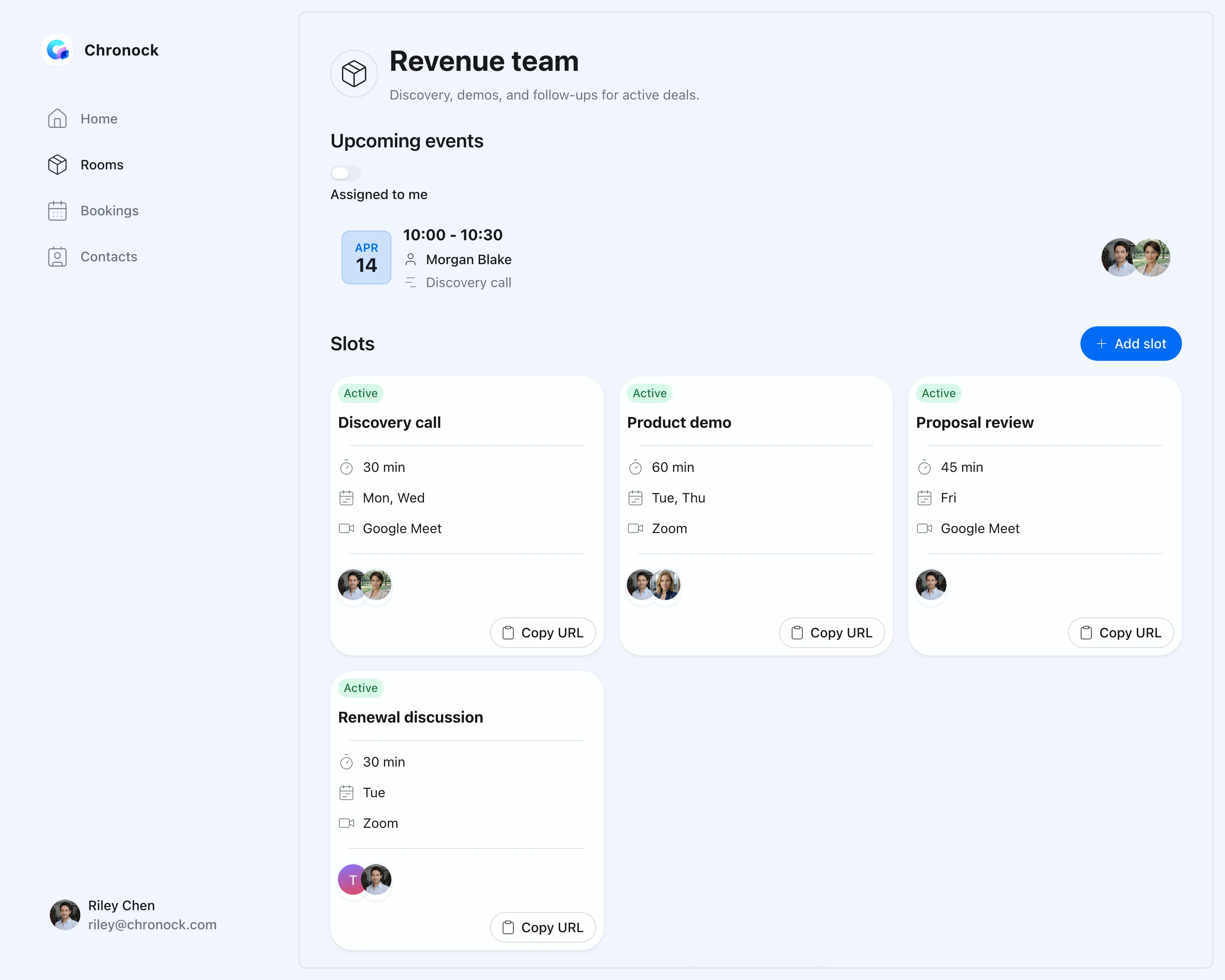
Team booking slot management screen
Booking link

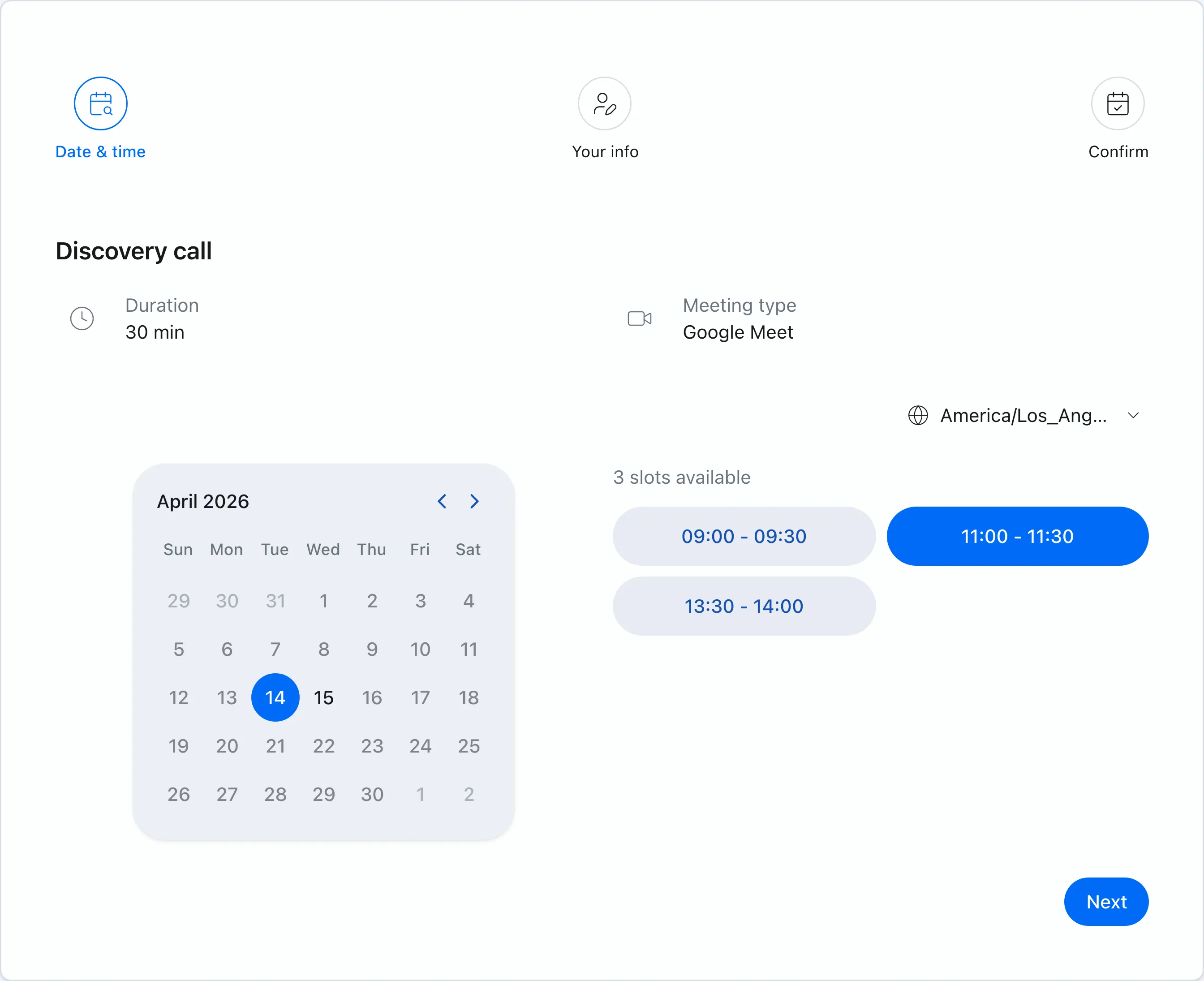
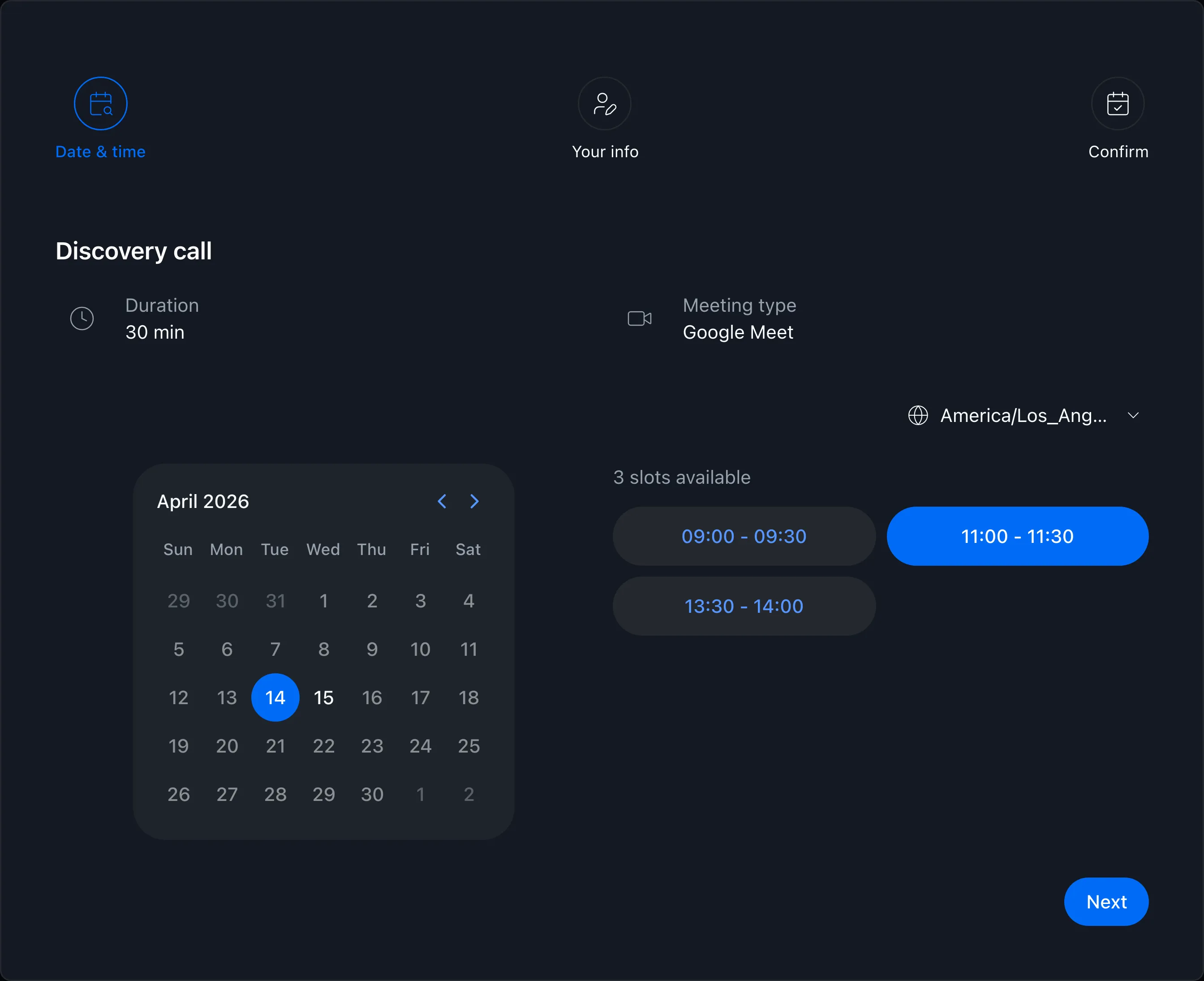
Prospects just pick a time

Connected to your team’s Google Calendars, busy times are avoided automatically. No account required on the prospect’s side — they pick a time and it’s booked.

  • Prospects choose from offered times on the booking page — done
  • Confirmed meetings land on every participant’s calendar automatically
  • Google Meet and Zoom links are created automatically
Booking page showing available times
CRM

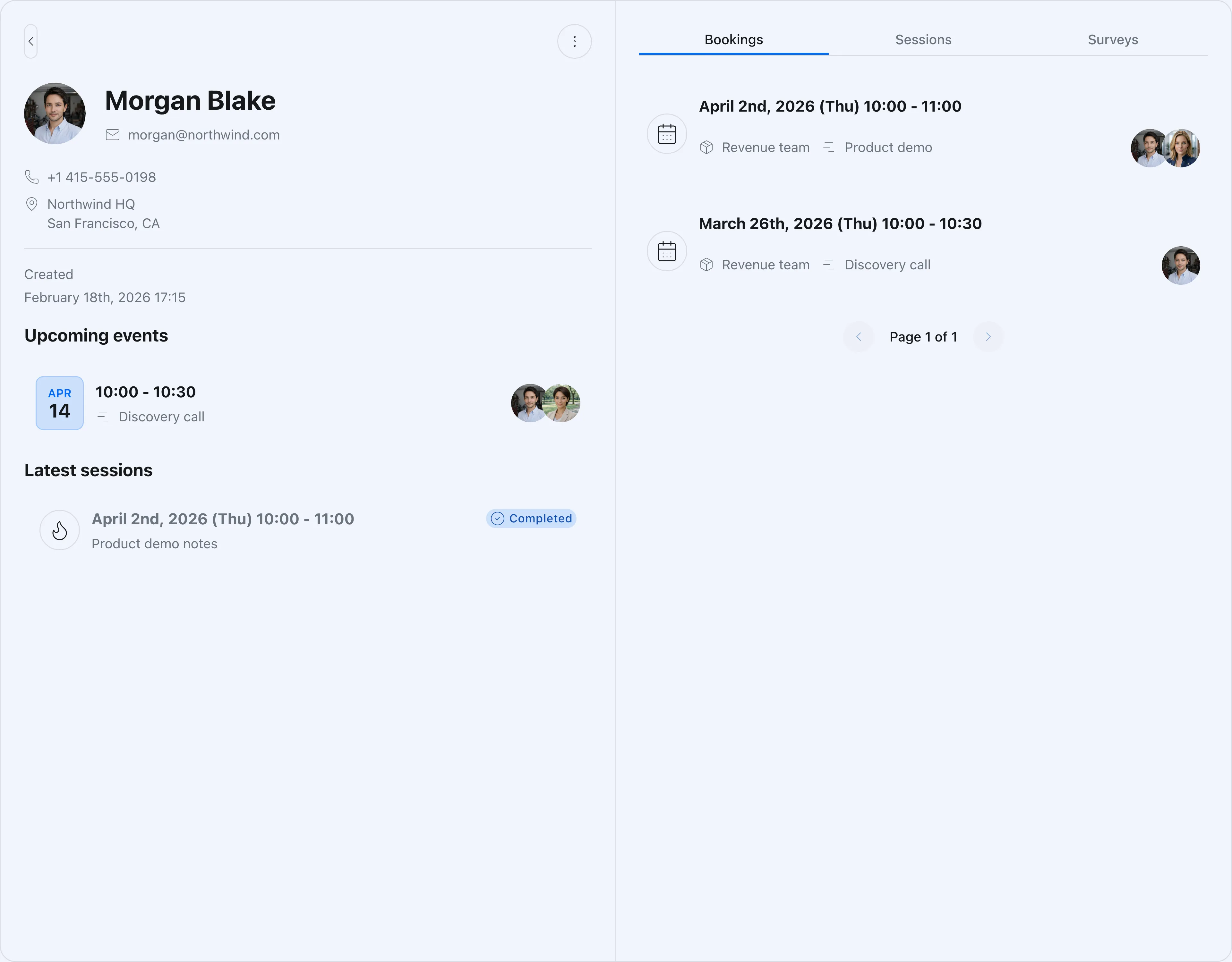
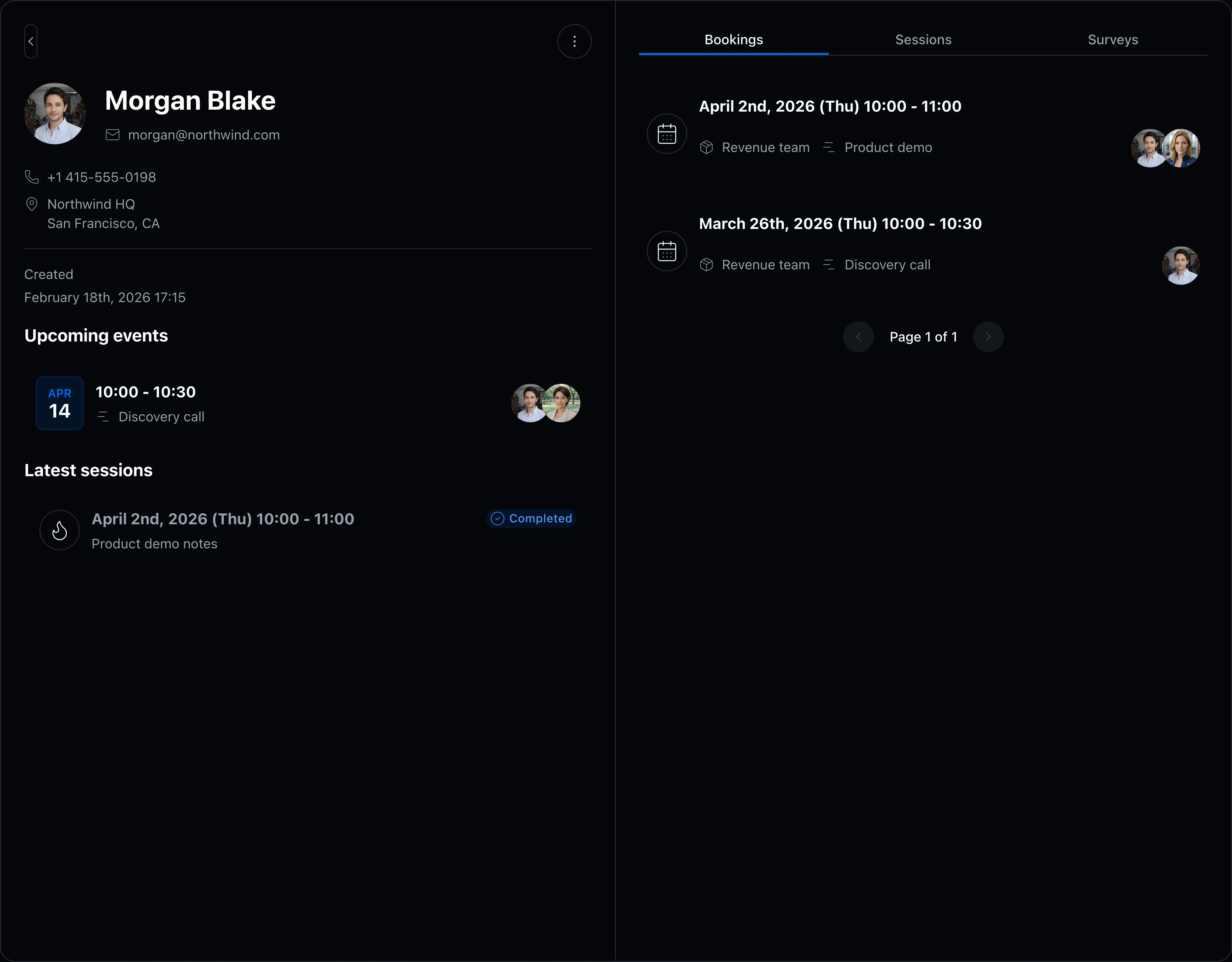
Booking history and contacts, one screen

Alongside scheduling, review contact details and past bookings in one place. Useful for pre-meeting prep and making sure follow-ups never slip.

  • Contact records organized automatically as bookings come in
  • Past bookings and notes visible per contact
  • Control which booking slots and CRM data each member can access
Contact detail and booking history screen

FAQ

Can multiple reps join the same meeting?
Yes. On the Pro plan, availability is evaluated across multiple members so prospects only see times when everyone can attend. Each member can also connect multiple calendars.
Are confirmed meetings added to calendars automatically?
Yes. Confirmed meetings are added to every participant’s Google Calendar automatically, with Google Meet or Zoom links created for you.
How large a team can use it?
The Pro plan supports up to 50 users. Contact us if you expect to need more.

Related articles

Chronock scheduling and calendar sync OG image

Chronock

The hunt for free slots ends here.

Turn Google Calendar availability into booking pages, then add calendar sync when you need it. Start with the free plan.

Free

For individuals starting with booking and private calendar sync

$0/month

  • 1 active booking slot
  • Shareable booking page
  • Multiple calendar connections
  • Zoom and Slack integrations
  • 1 one-way calendar sync rule (Busy only)
Get started free

Pro

Streamline scheduling and cross-calendar sync for freelancers and teams

Most popular

$6.67+/ user / month

Effective monthly price with annual billing

  • Unlimited booking slots
  • Unlimited one-way and bidirectional sync with event details
  • Group scheduling
  • CRM (bookings & contacts)
Start 7-day Pro trial