For recruitment agencies and search firms

Coordinate candidates and clients quickly, without lowering the tone.

Candidate meetings, client company calls, and follow-ups around interviews can all run at once. Organize high-volume meetings by room so consultants and managers can see booking status. For senior candidates, executives, or client stakeholders where a booking link feels too casual, share available times as polished text instead.

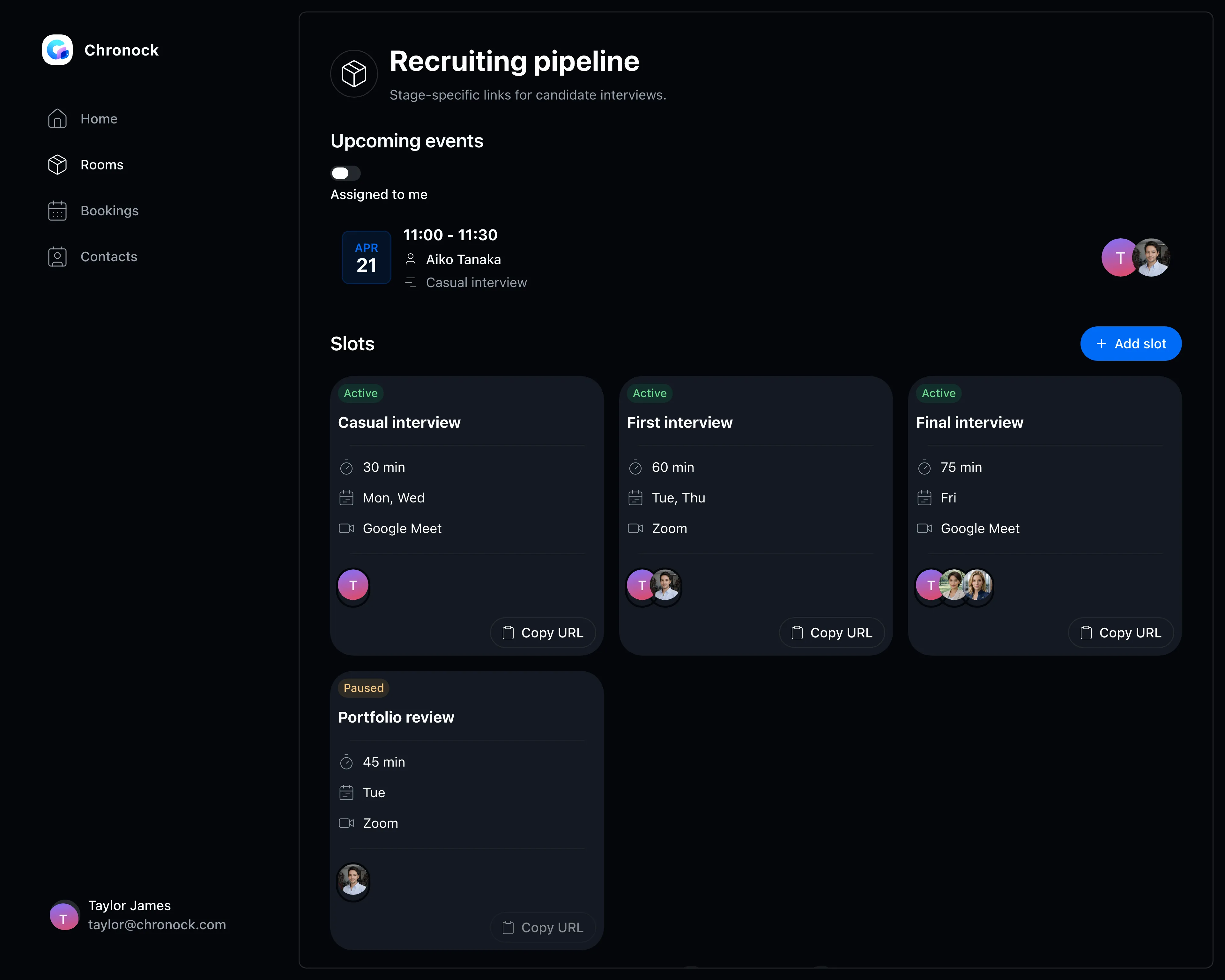
Screen for managing booking slots by room
View pricing

Are candidate, client, and internal calendars eating up your day?

Recruitment work moves across candidate interviews, client sales meetings, and interview coordination at the same time. The more people involved, the heavier the work of finding options and tracking progress becomes.

Candidate meetings, client calls, and interview coordination run in parallel, making ownership hard to see

Booking links and acceptance rules get mixed up across industries, roles, and consultant teams

For senior candidates and executives, sending only a booking link can feel too blunt, so consultants still build candidate time options by hand

Rooms and slots

Separate meeting slots by role area, client, or team

Group members into rooms and keep separate booking slots for candidate meetings, client company calls, and pre- or post-interview follow-ups.

  • Set participants, meeting length, accepted days, and meeting tools per booking slot
  • Manage rooms by role area, client owner, or career advisor team
  • Managers can review upcoming bookings and slot settings by room to understand coordination status
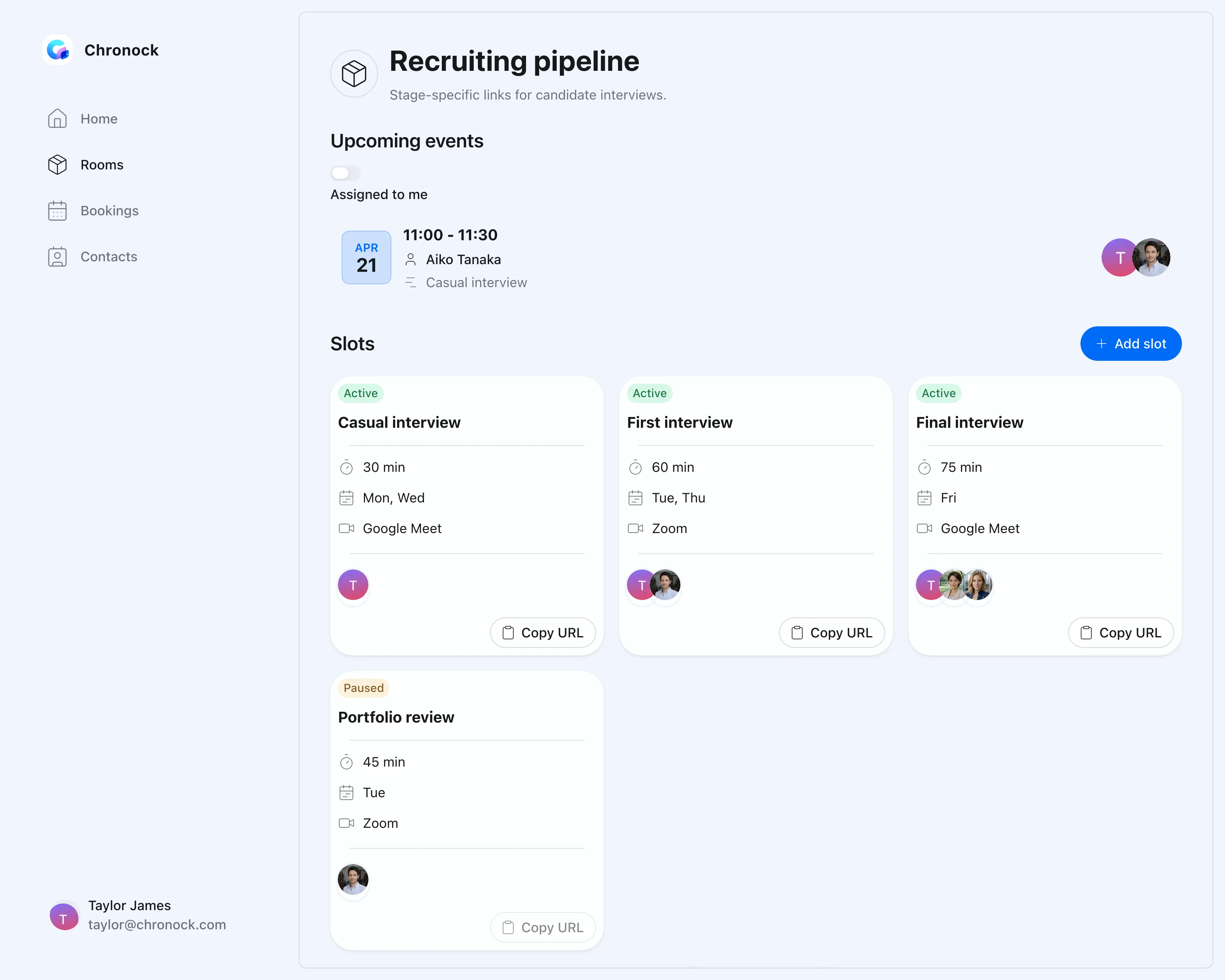
Screen for managing booking slots by room
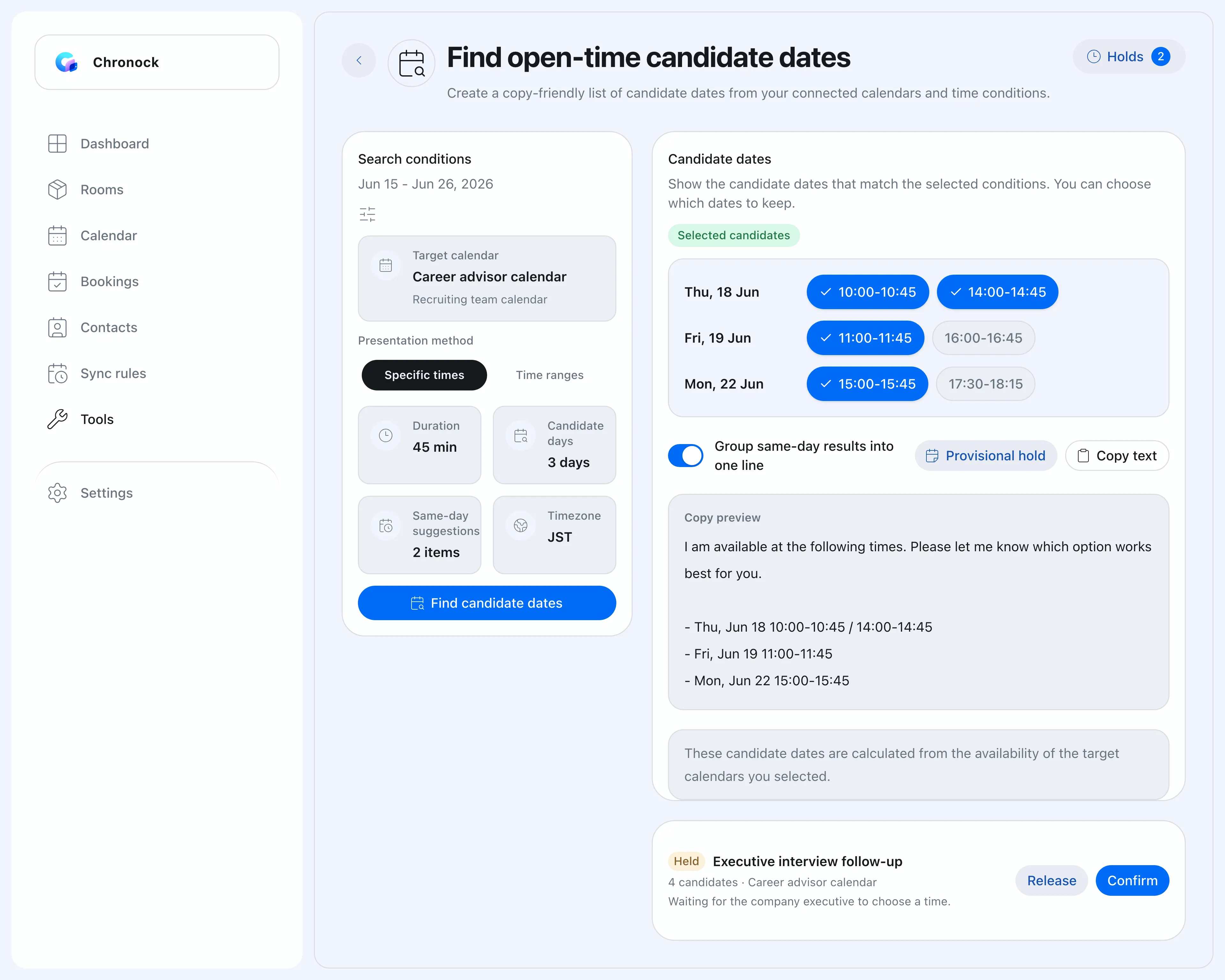
Candidate dates

When a link feels wrong, share time options as text

Use Google Calendar availability to find open times for the consultant, then copy candidate-friendly options into email or chat. Choose between a booking link and written time options depending on the relationship.

  • Search for available meeting times across multiple Google Calendars
  • Output candidate dates in a format that is easy to copy and paste
  • On the Pro plan, hold candidate slots while you wait for a reply
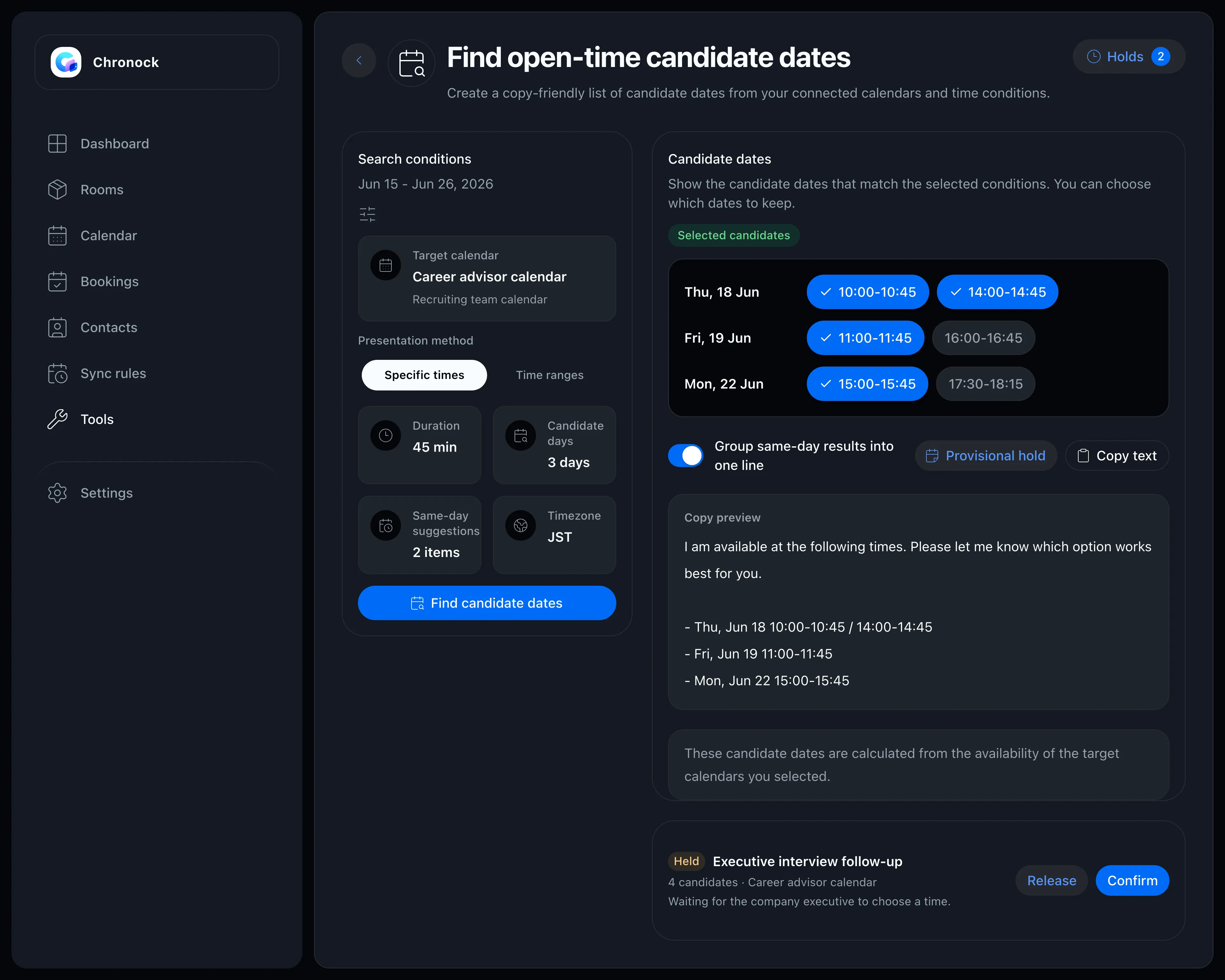
Candidate date tool showing available times as copyable text
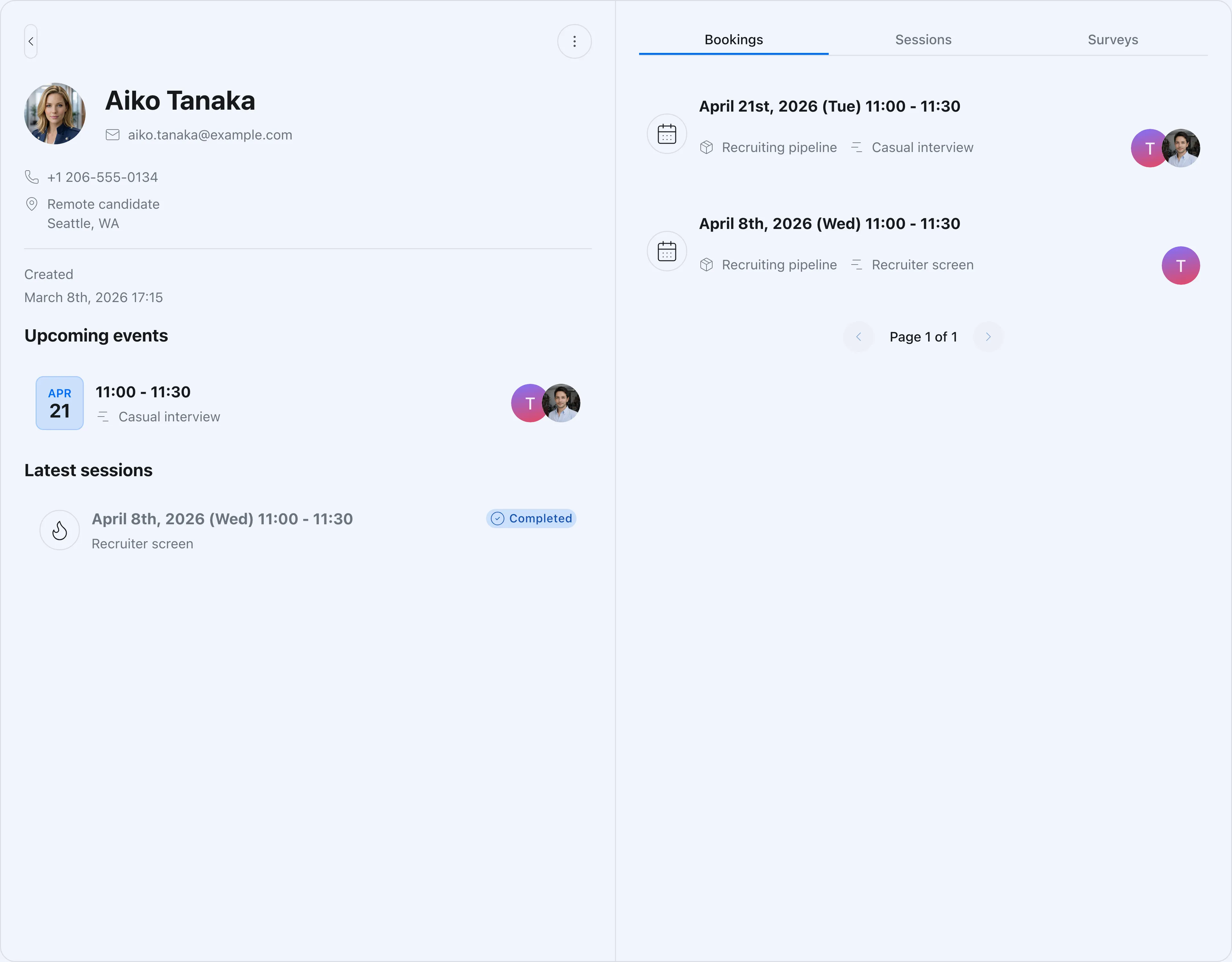
CRM

Track every candidate and client touchpoint from bookings

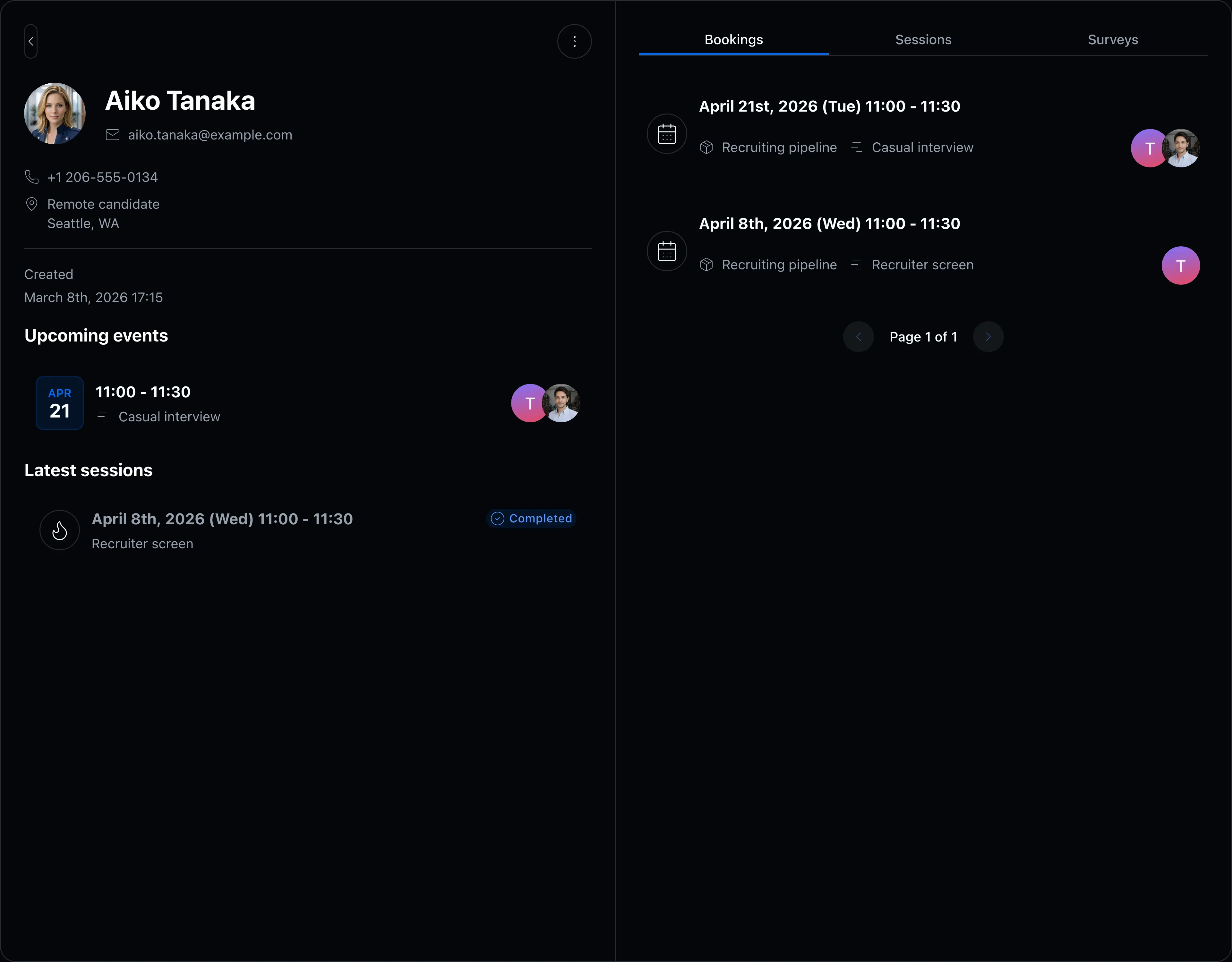
Bookings and contact details live on the same screen. Review context before a meeting, hand work over to another consultant, or look back at past client interactions.

  • Organize candidate and client contact details as meetings are booked
  • Review past meetings and notes by contact
  • Control which booking slots and CRM data each member can access
Contact detail and booking history screen

FAQ

Can we separate booking slots for candidates and client companies?
Yes. Create separate booking slots for candidate meetings, client company calls, and pre- or post-interview follow-ups. Rooms also make it easier to manage scheduling by consultant team or role area.
Can we share time options without sending a booking link?
Yes. The candidate date tool finds available times and outputs them as text you can paste into email or chat. It is useful when coordinating with senior candidates, executives, or clients where a booking link may not fit the relationship.
Can managers and consultants have different access?
Yes. Access to rooms, booking slots, and CRM data can be controlled per member. Consultants can focus on their own meetings, while managers can review coordination across the team.

Related articles

Chronock scheduling and calendar sync OG image

Chronock

The hunt for free slots ends here.

Turn Google Calendar availability into booking pages, then add calendar sync when you need it. Start with the free plan.

Free

For individuals starting with booking and private calendar sync

$0/month

  • 1 active booking slot
  • Shareable booking page
  • Multiple calendar connections
  • Zoom and Slack integrations
  • 1 one-way calendar sync rule (Busy only)
Get started free

Pro

Streamline scheduling and cross-calendar sync for freelancers and teams

Most popular

$6.67+/ user / month

Effective monthly price with annual billing

  • Unlimited booking slots
  • Unlimited one-way and bidirectional sync with event details
  • Group scheduling
  • CRM (bookings & contacts)
Start 7-day Pro trial