Is sending a booking link rude? When to use candidate-time emails instead
Learn when a scheduling link is appropriate, when candidate times in email feel better, and how to combine both without making scheduling feel impersonal.
Scheduling links are useful. The other person chooses an available slot, the meeting is confirmed, and the event is added to the calendar automatically.
Still, many people hesitate before sending a booking link. Will it feel rude? Too direct? Like you are asking the other person to do the work?
The short answer: the link itself is not rude. The problem is when the message feels mismatched to the relationship or context.
This article explains when booking links work well, when candidate-time emails are better, and how to combine both.
When booking links work well
Booking links are often the best option when the other person expects a fast, self-service flow.
Good examples:
- Internal 1:1s and recurring meetings.
- Support meetings with existing customers.
- Meetings with partners who already know you.
- Website inquiry and booking flows.
- Recruiting events or casual chat pages where candidates are expected to choose.
- Sales calls and demos where reducing back-and-forth matters.
In these contexts, a booking link can be more considerate than several rounds of candidate-time emails.
The key is not to send the link alone. Add one sentence that leaves room for alternatives.
Please choose a time that works for you from the page below.
If none of the options fit, let me know and I will send a few alternatives.

https://...
That small fallback makes the message feel less one-sided.
When candidate-time emails are better
Candidate times in the email body can feel more natural in higher-context situations.
Examples:
- First contact with someone who does not know you yet.
- Senior executives, important customers, or people you want to treat with extra care.
- Introductions through a mutual connection.
- Scheduling handled through an assistant or recruiter.
- The other side needs to check times internally across multiple people.
- The email will be forwarded and discussed before anyone chooses a time.
In these cases, writing the options directly can be easier to receive.
I am available at the following times.
Please let me know which option works best for you.

- Thu, July 9, 10:00-10:45 or 14:00-14:45
- Fri, July 10, 11:00-11:45
- Mon, July 13, 15:00-15:45
The recipient can see the options without opening another page. If the email needs to be forwarded, the options stay visible in the thread.
What makes a booking-link email feel abrupt
A booking link can feel rude when the message is too short.
For example:
Please pick a time here.
https://...
This may be fine with a close colleague. For a first meeting or senior contact, it can feel like “fit into my calendar.”
When sending a booking link, include:
- What the meeting is for.
- How long it will take.
- Whether it is online or in person.
- What to do if no time works.
- A sentence that respects the other person’s schedule.
Example:
I would like to schedule 30 minutes for the meeting.
Could you choose a convenient time from the page below?

If none of the options work, please let me know and I will send alternatives.

https://...
The link is a tool for efficiency. The message still needs to feel considerate.
Candidate-time emails have tradeoffs too
Candidate-time emails can feel more personal, but they create work for the sender.
- You need to find open times manually.
- Multiple calendars make the search slower.
- Another meeting can take a proposed slot while you wait for a reply.
- Once the recipient chooses, you still need to create the calendar event.
- Time zones can cause misunderstandings.
- Too many options can make the decision harder.
So “always send candidate times” is not the answer either. The better approach is to choose the format that fits the relationship.
You can combine both
You do not have to choose only one.
A hybrid message often works well: offer a few candidate times, then include a booking link for other options.
I am currently available at the following times.

- Thu, July 9, 10:00-10:45
- Fri, July 10, 11:00-11:45
- Mon, July 13, 15:00-15:45

If another time would be better, you can also choose from the page below.
https://...
This is useful for first sales meetings, introduced meetings, and senior contacts. It feels less abrupt than sending only a link, while still reducing follow-up emails when the listed options do not fit.
Chronock supports both booking links and candidate-time text
Chronock supports both workflows: booking pages and candidate-time text.
Use a booking URL when it fits. Guests choose from available times based on your connected Google Calendars.
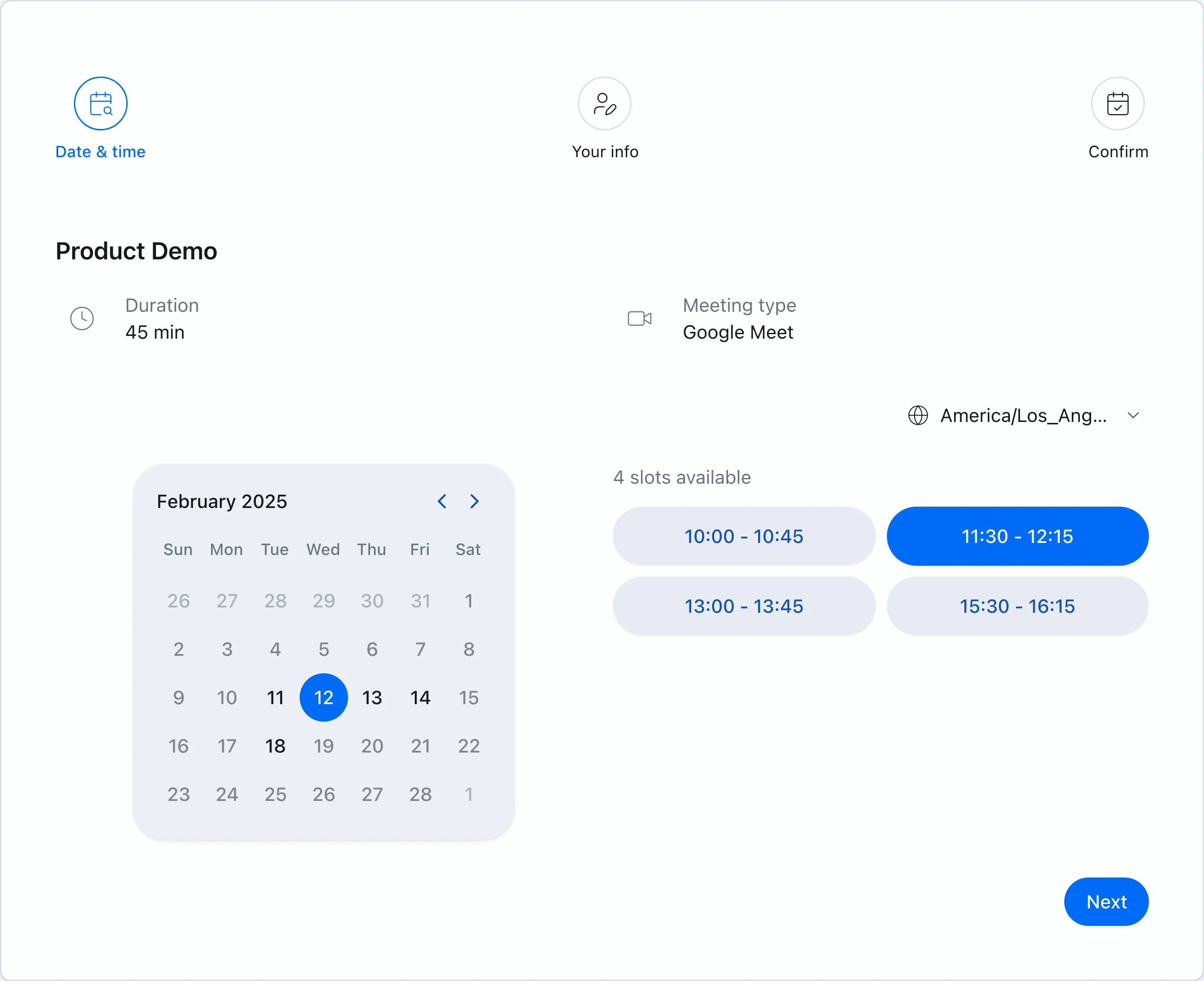 When a booking link fits the context, guests can choose an available time directly.
When a link feels too direct, use the candidate dates tool to find open times and copy them into email or chat.
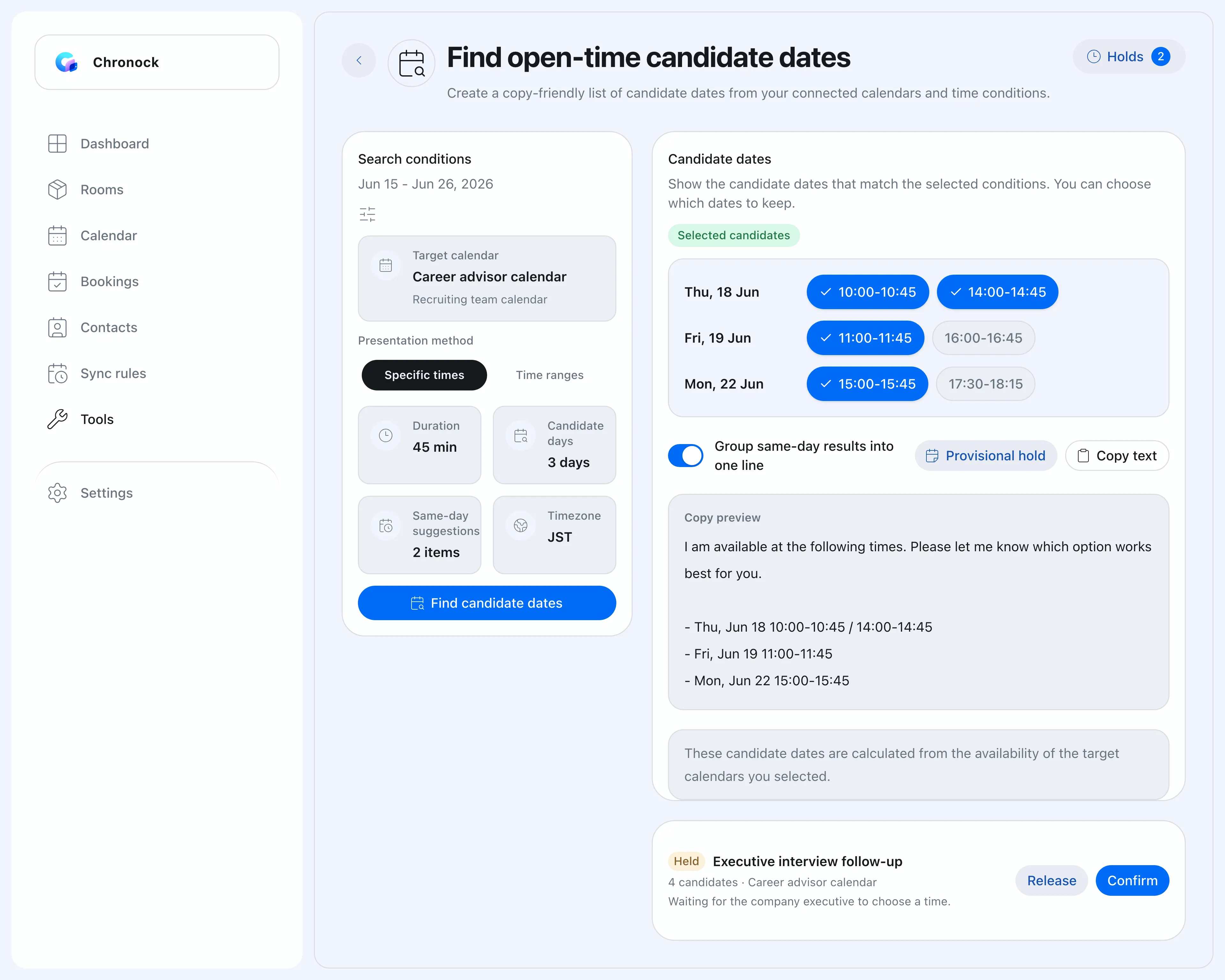 The candidate dates tool turns availability into text you can paste into a message.
You can set the target calendar, date range, meeting duration, weekdays and hours, time zone, and buffers. Then select the options you want to send.
On Pro, you can also create provisional holds for proposed times so another meeting does not take those slots while you wait for a reply.
A practical rule of thumb
| Situation | Better fit |
|---|---|
| Internal, existing customers, established relationships | Booking link |
| Website or form-based booking | Booking link |
| First contact, senior contact, introduction | Candidate-time email |
| The other side needs to coordinate multiple people | Candidate-time email |
| You want to reduce follow-up if options do not fit | Candidate times plus booking link |
| You need to protect proposed slots while waiting | Provisional holds |
Instead of asking whether booking links are rude, ask which format feels natural for this recipient.
Booking links are efficient. Candidate-time emails are considerate in the right context. Chronock lets you use the same calendar availability behind both formats.