For recruiting teams

Candidates pick a time, and the interview is scheduled.

A candidate and recruiter in conversation during an interview

First-round interview

Confirmed

Tue, Oct 14 · 2:00–2:45 PM

Google Meet · Added to calendars

Casual chats, first-round interviews, finals — share a stage-specific booking link and candidates pick from interviewers’ real availability. Fewer round-trips keep your pipeline moving.

View pricing
  • No account required for candidates
  • Only interviewers’ real availability is offered
  • Google Meet and Zoom links created automatically

Are candidates stuck waiting on interview logistics?

Playing go-between for candidates and interviewers gets slower with every added participant — and slow scheduling erodes candidate enthusiasm.

Relaying candidate times between applicants and interviewers over long email threads

Comparing several interviewers’ calendars by hand to find common openings

Worrying that scheduling delays will cost you candidates

Booking link

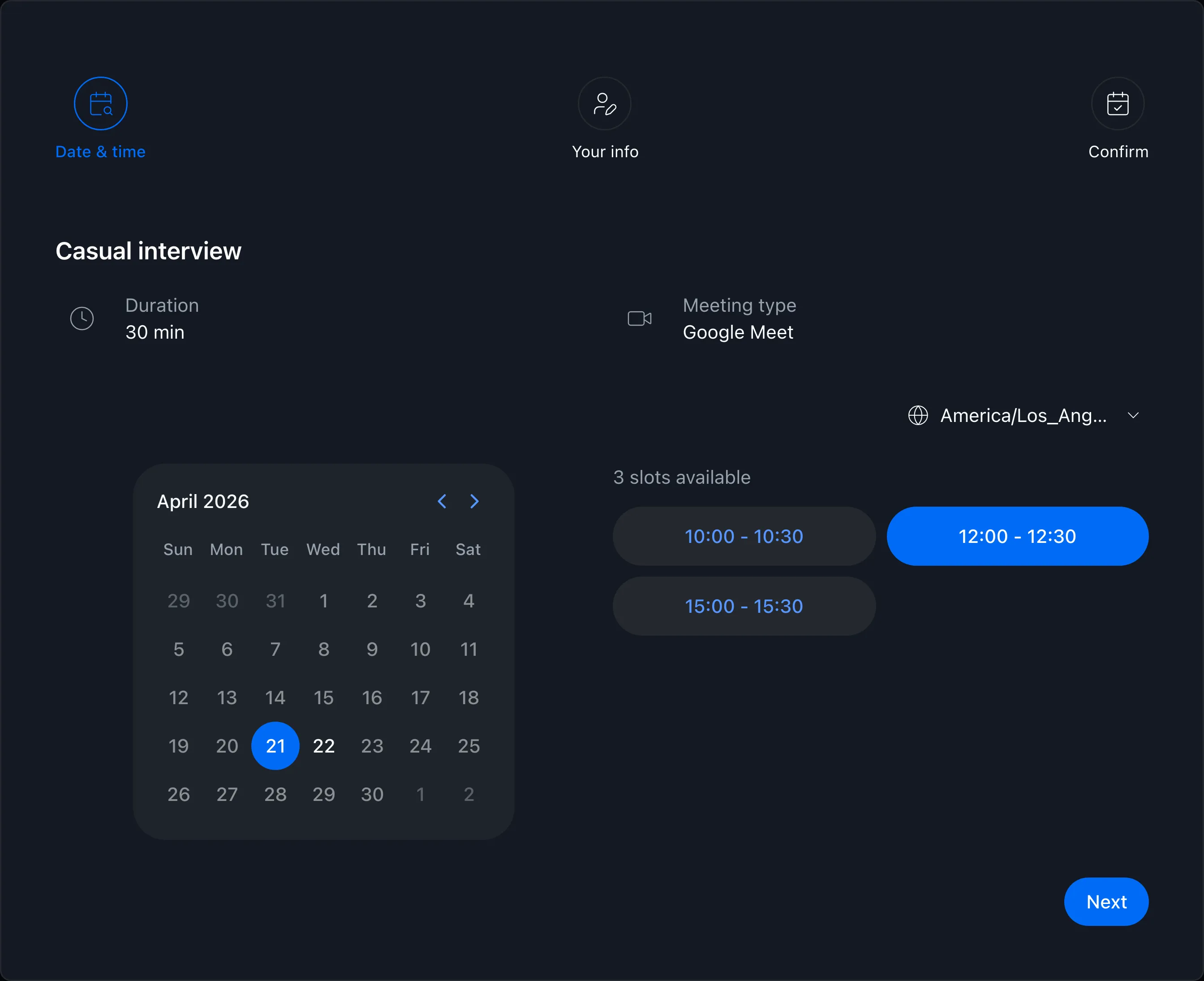
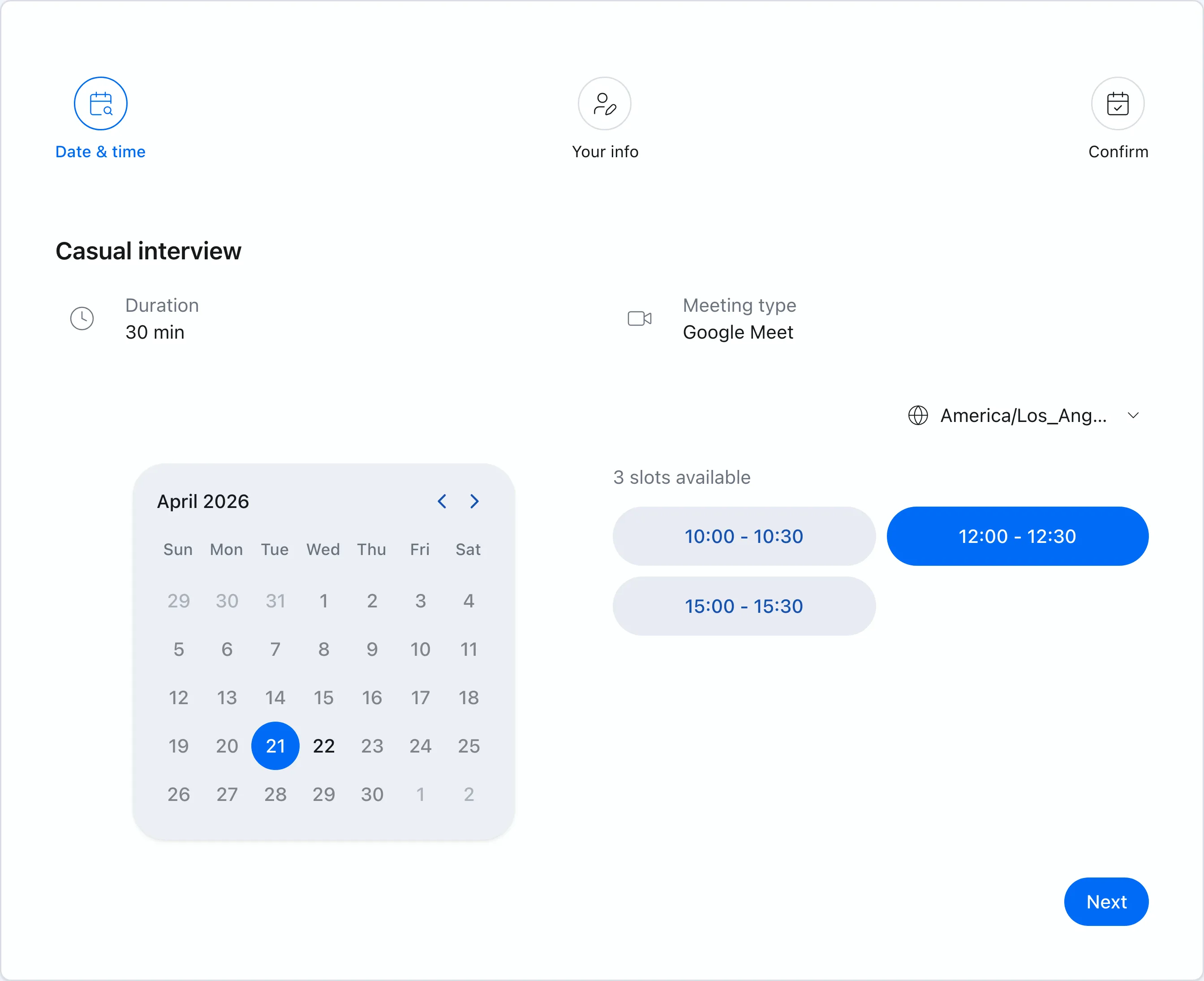
Candidates just pick a time

Based on interviewers’ Google Calendars, candidates see only bookable times. No account needed — they pick a slot, even from their phone, and the interview is set.

  • Candidates choose a convenient time on the booking page
  • Confirmed interviews land on interviewers’ calendars automatically
  • Google Meet and Zoom links are created automatically
Booking page showing available times
Booking slots

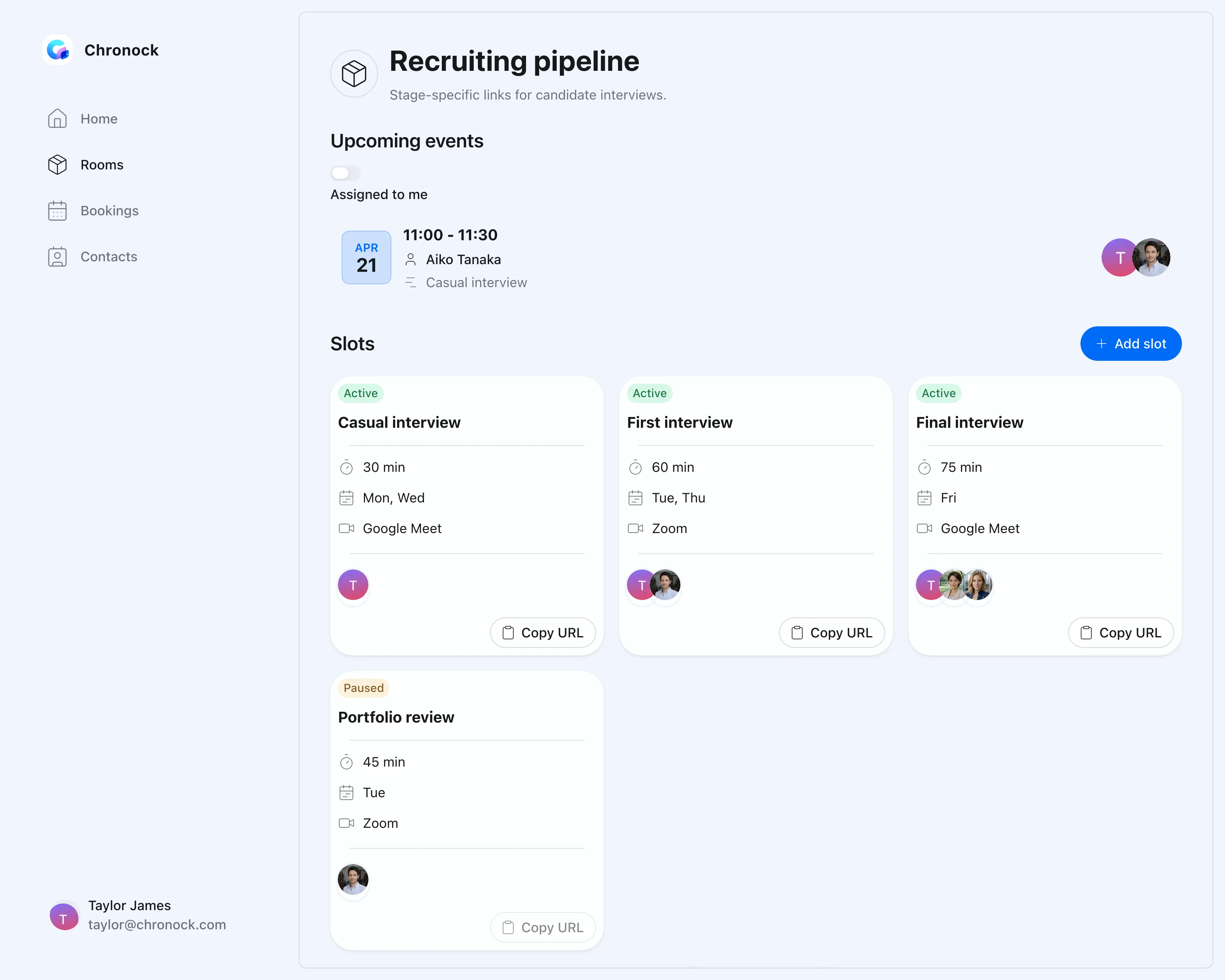
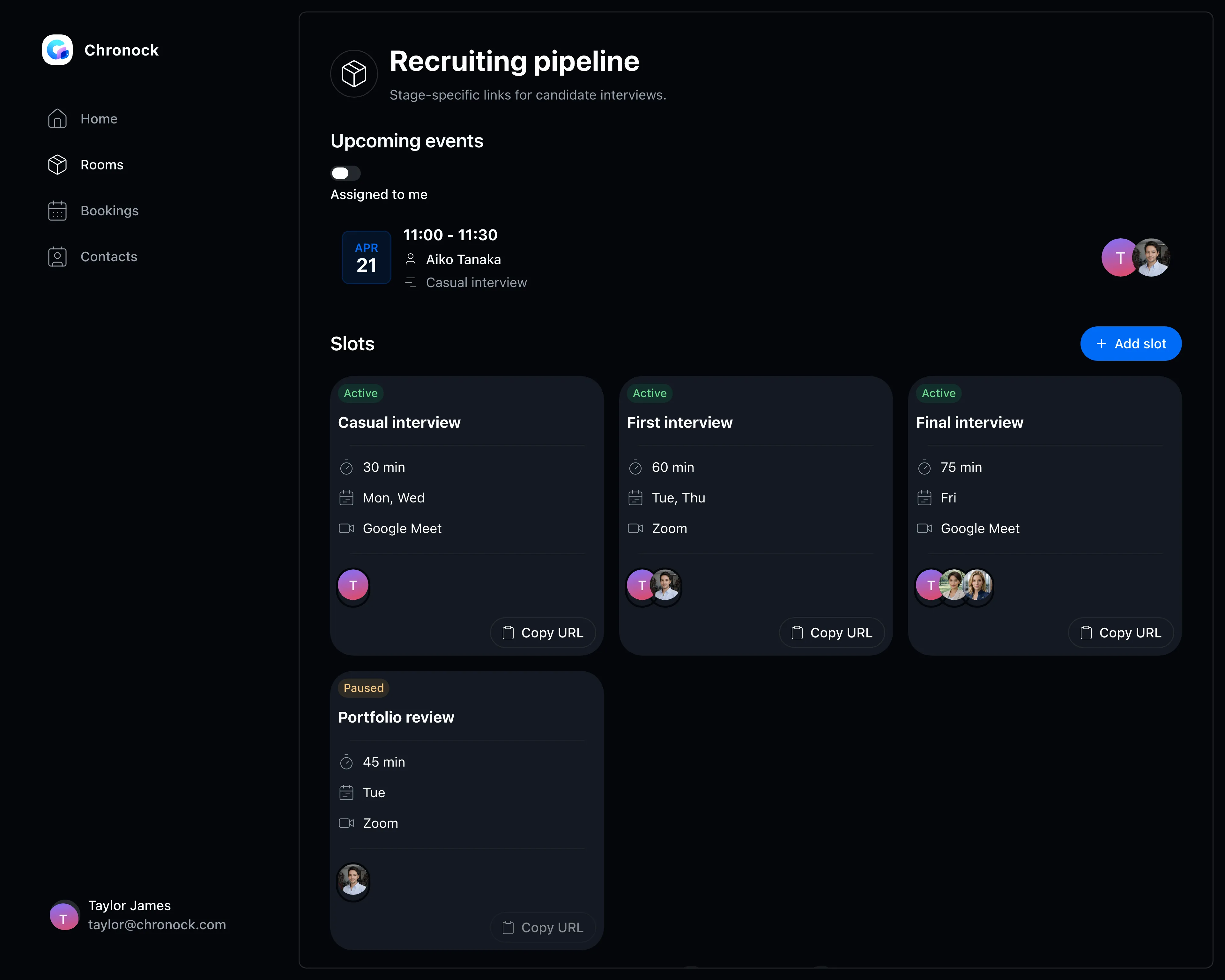
A booking slot per interview stage

Casual chat, first round, final round — configure interview length, accepted days, and participating interviewers per stage.

  • Separate durations and rules for each stage
  • Availability across multiple interviewers, offering only times everyone can make
  • Buffers protect time for scorecards and preparation
Booking slot settings screen
CRM

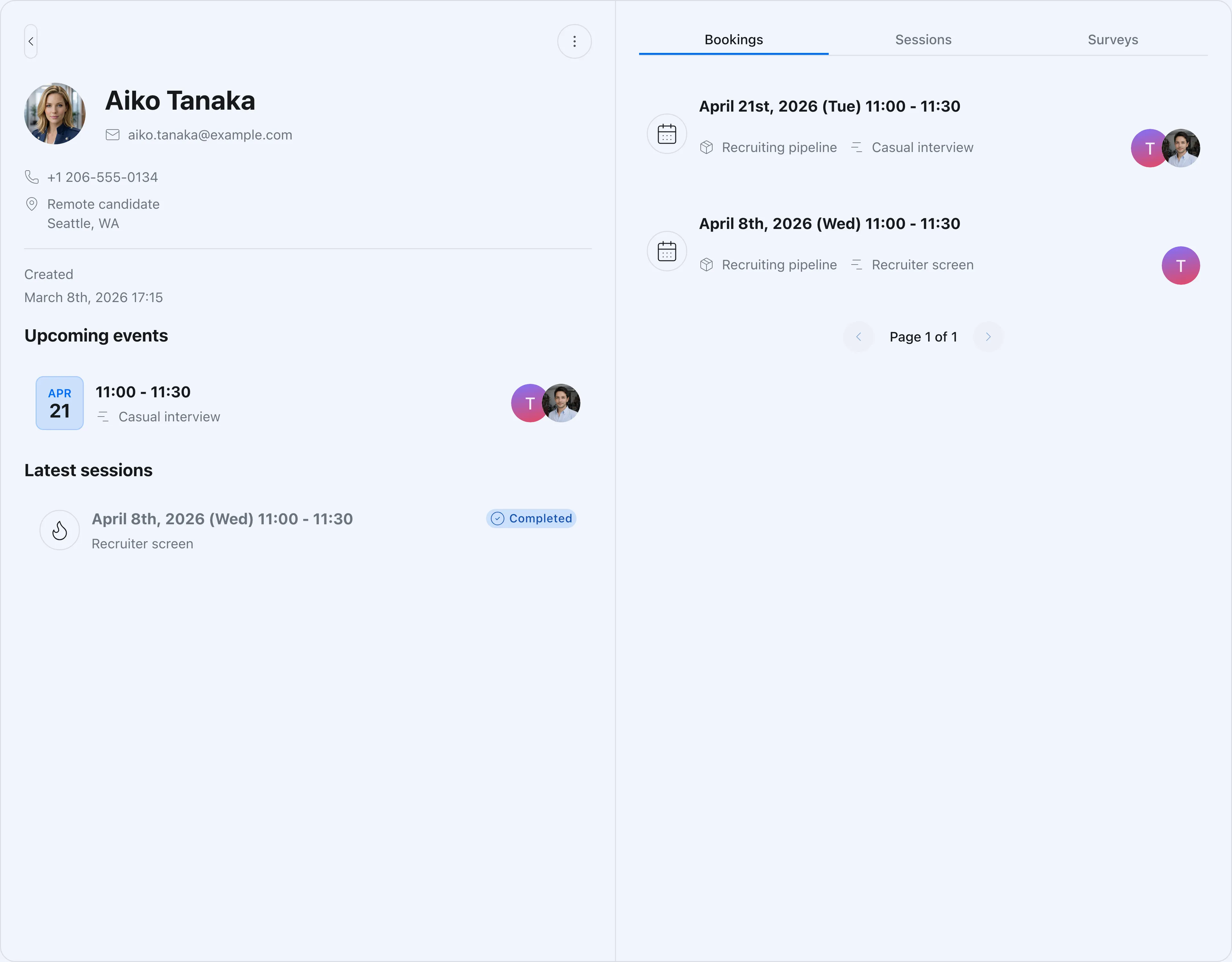
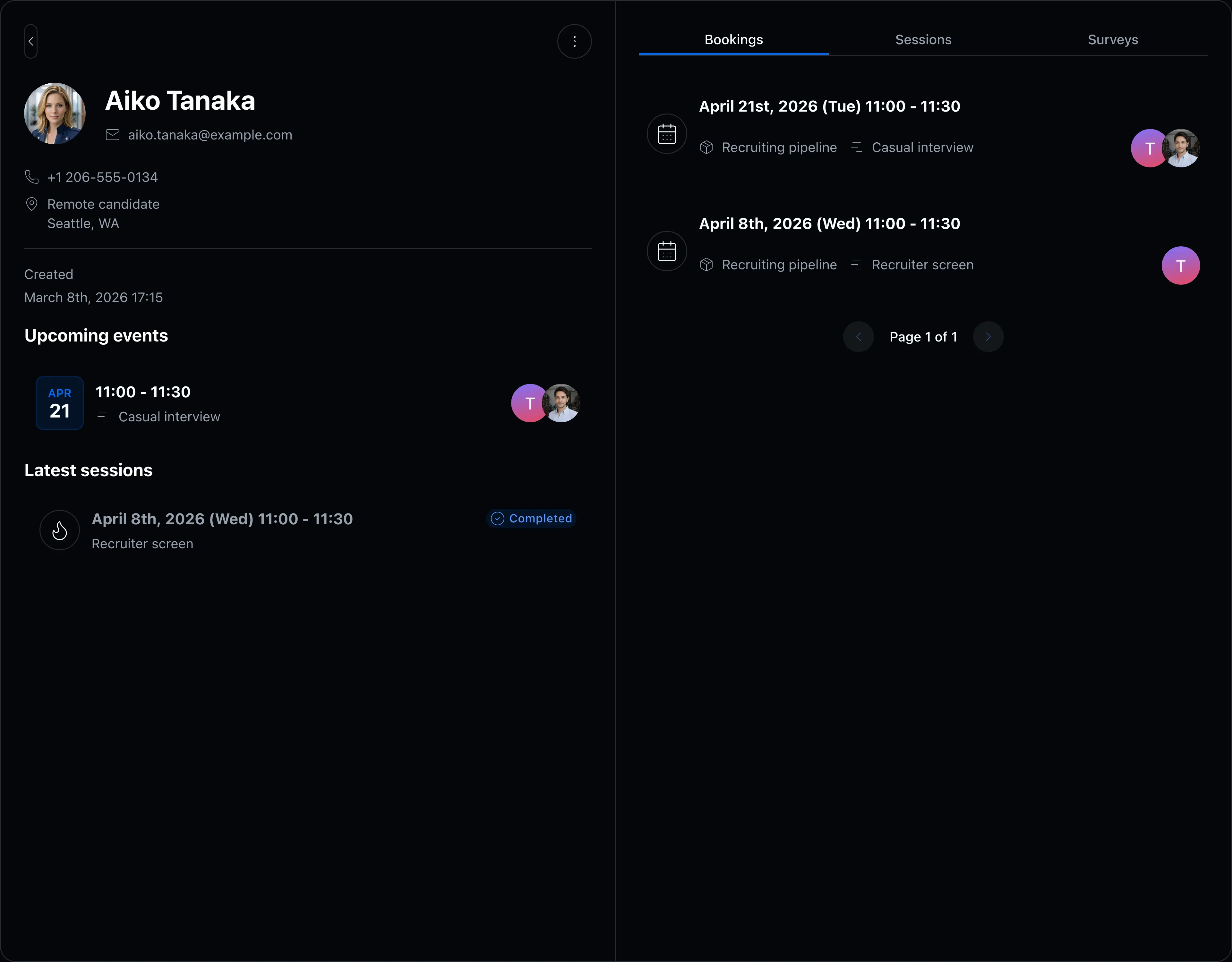
Each candidate’s contacts and history on one screen

Contact details and past interviews live on one screen, so anyone can catch up on a candidate’s journey before the next round.

  • Candidate records organized automatically as bookings come in
  • Past interviews and notes visible per candidate
  • Access control keeps hiring information limited to the right members
Contact detail and booking history screen

FAQ

Do candidates need to create an account?
No. Candidates book without an account — they simply pick a time on the booking page, which also works well on mobile.
Can it consider several interviewers’ availability?
Yes. On the Pro plan, availability is evaluated across multiple members so candidates only see times when every interviewer can attend.
Can candidates see interviewers’ calendar details?
No. Candidates see only bookable times. Interviewers’ event titles and details are never exposed.

Related articles

Chronock logo and the integrated calendar on a phone

Chronock

Your calendars and scheduling, all in one place.

Manage Google Calendar and Outlook, share booking pages, and stop double booking with automatic event copying. Start free.

Free

For one person starting with scheduling links and automatic event copying

$0/month

  • 1 active booking slot
  • Shareable booking page
  • Up to 2 connected calendars
  • Zoom and Slack integrations
  • 1 one-way calendar sync rule (Busy only)
Get started free

Pro

For teams scheduling together, or anyone who needs multiple or two-way sync rules

Most popular

$6.67+/ user / month

Effective monthly price with annual billing

  • Unlimited booking slots
  • Unlimited one-way and bidirectional sync with event details
  • Group scheduling
  • CRM (bookings & contacts)
Start 7-day Pro trial