For customer success and support teams

Make booking a meeting the easiest part of support.

Onboarding, adoption reviews, troubleshooting — share a purpose-built booking link and customers pick from your team’s real availability. Meeting history stays in Chronock, right next to your contacts.

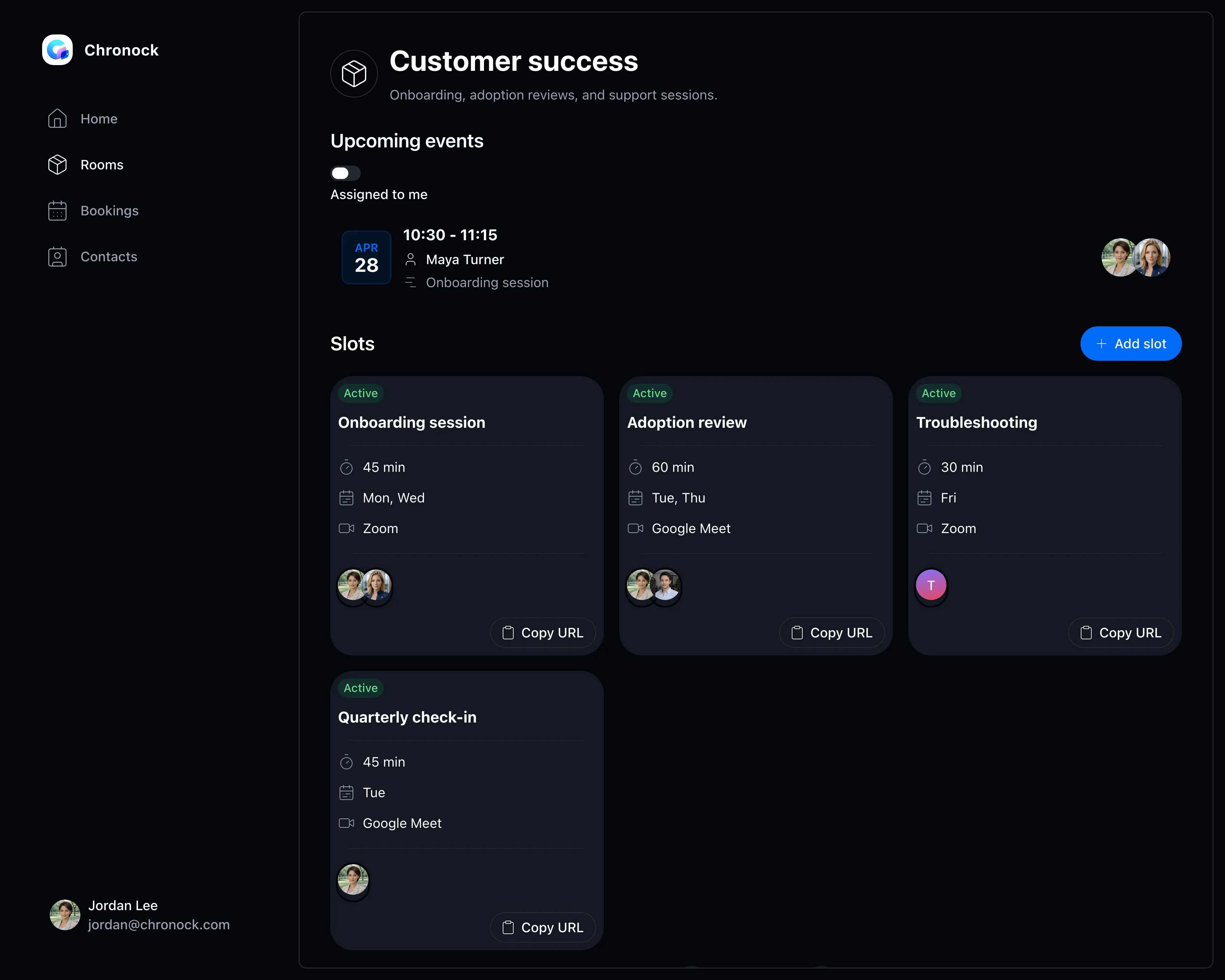
Team booking slot management screen
View pricing

Does it take too long to get a meeting on the calendar?

Customer-facing meetings vary in type and owner. Every extra day spent scheduling is a day your customer’s problem stays unsolved.

Onboarding sessions take an email thread to schedule

No visibility into who on the team is free, making assignment tedious

Meeting history and notes scattered across different tools per customer

Booking slots

A booking slot per meeting type

Group members into rooms and keep separate booking slots for onboarding, regular check-ins, and troubleshooting.

  • Set participants, meeting length, and accepted days per slot
  • Publish the right booking link in help pages and emails
  • Only times that work across members’ calendars are offered
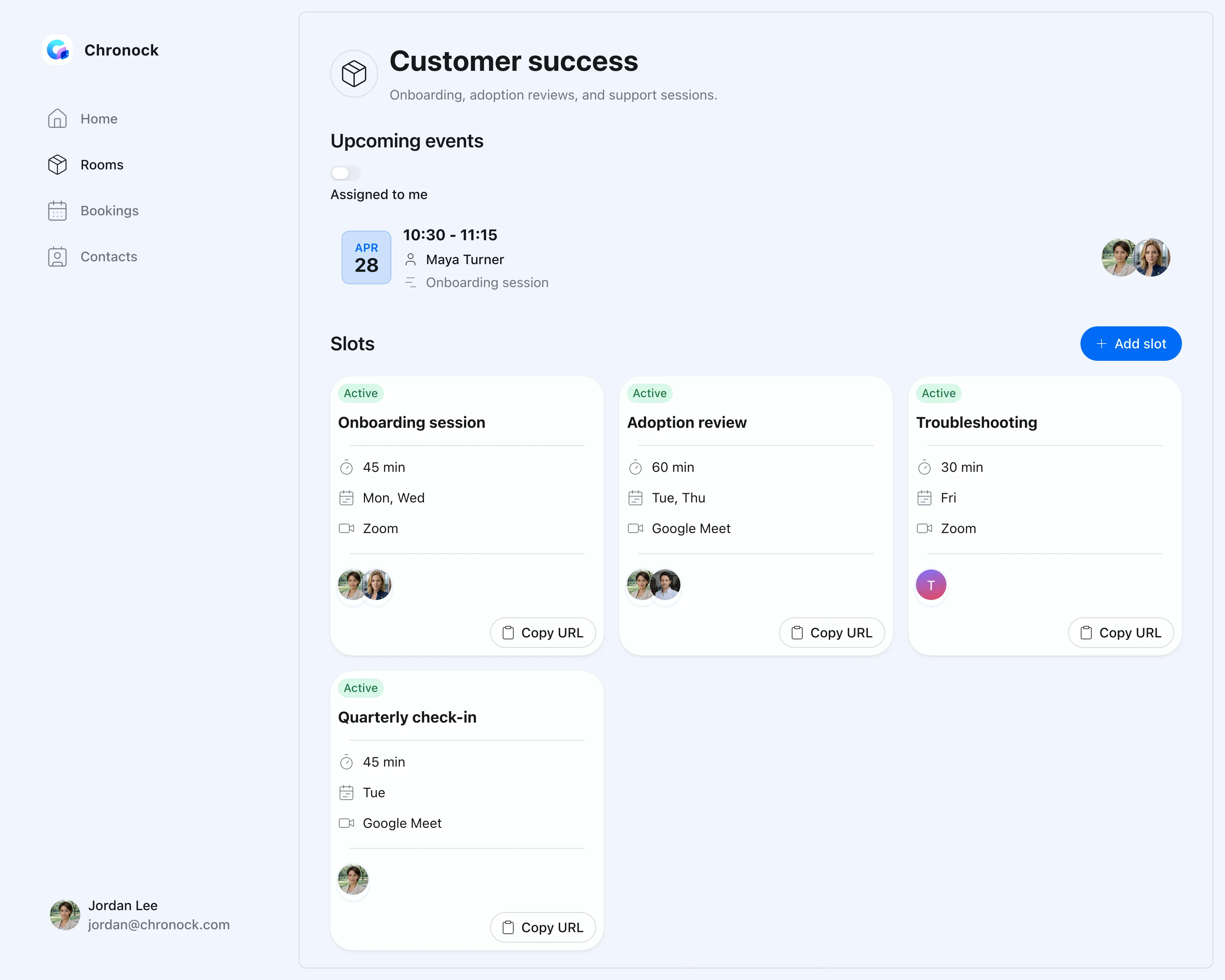
Team booking slot management screen
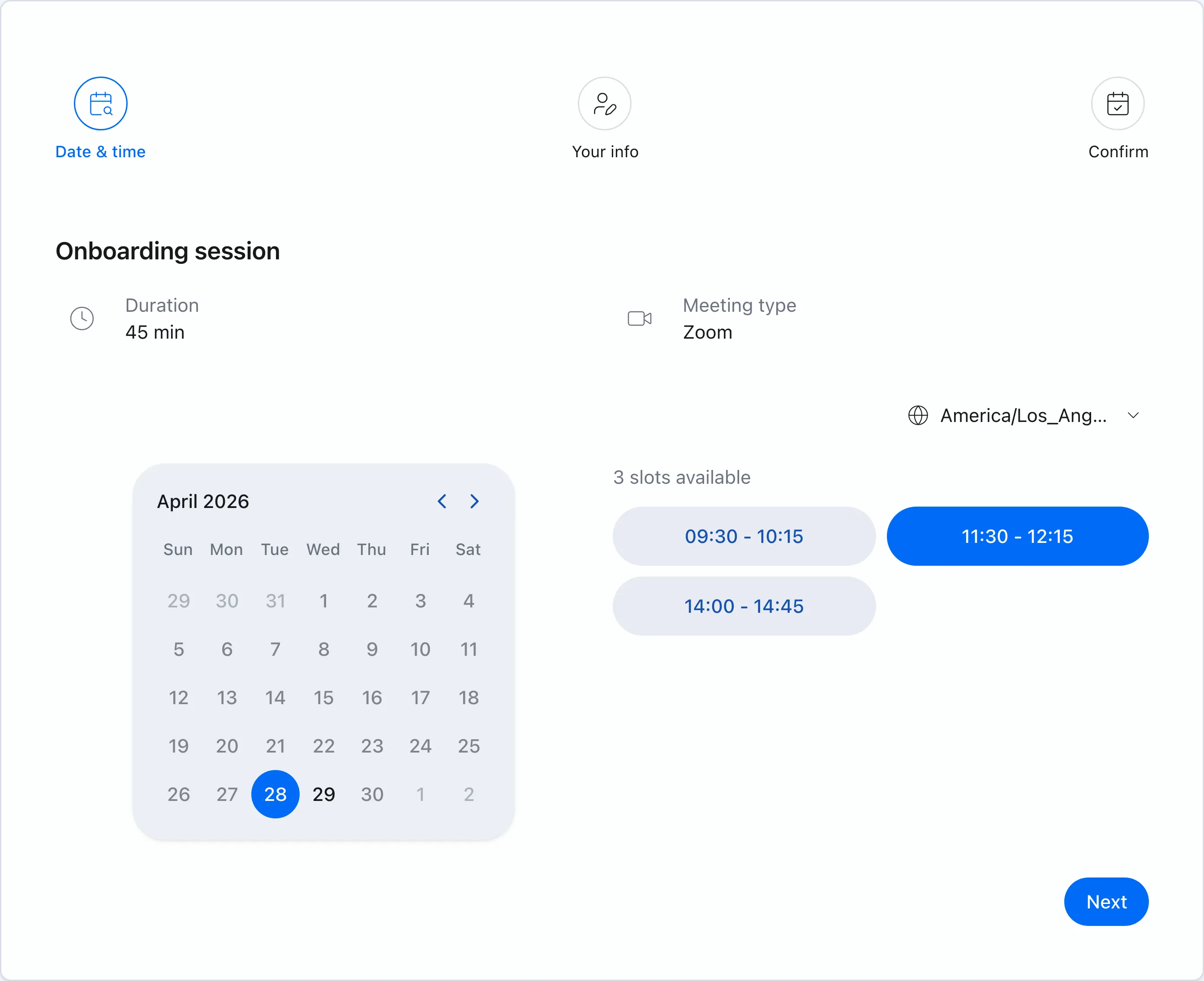
Booking link

Customers just pick a time

Connected to your team’s Google Calendars, customers see only times you can take. No account required, and booking works well on mobile.

  • Customers choose a convenient time on the booking page
  • Confirmed meetings land on the assignee’s calendar automatically
  • Google Meet and Zoom links are created automatically
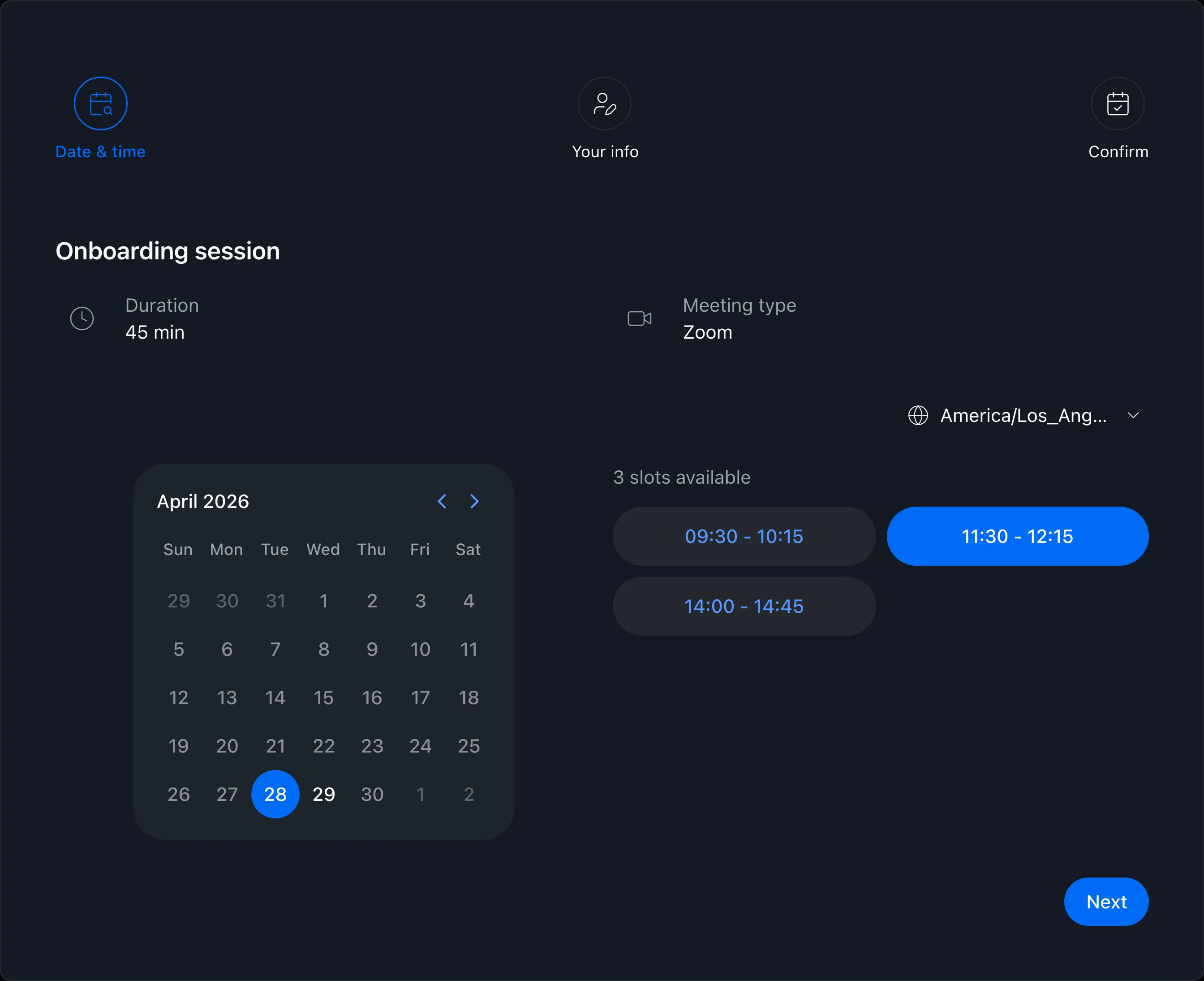
Booking page showing available times
CRM

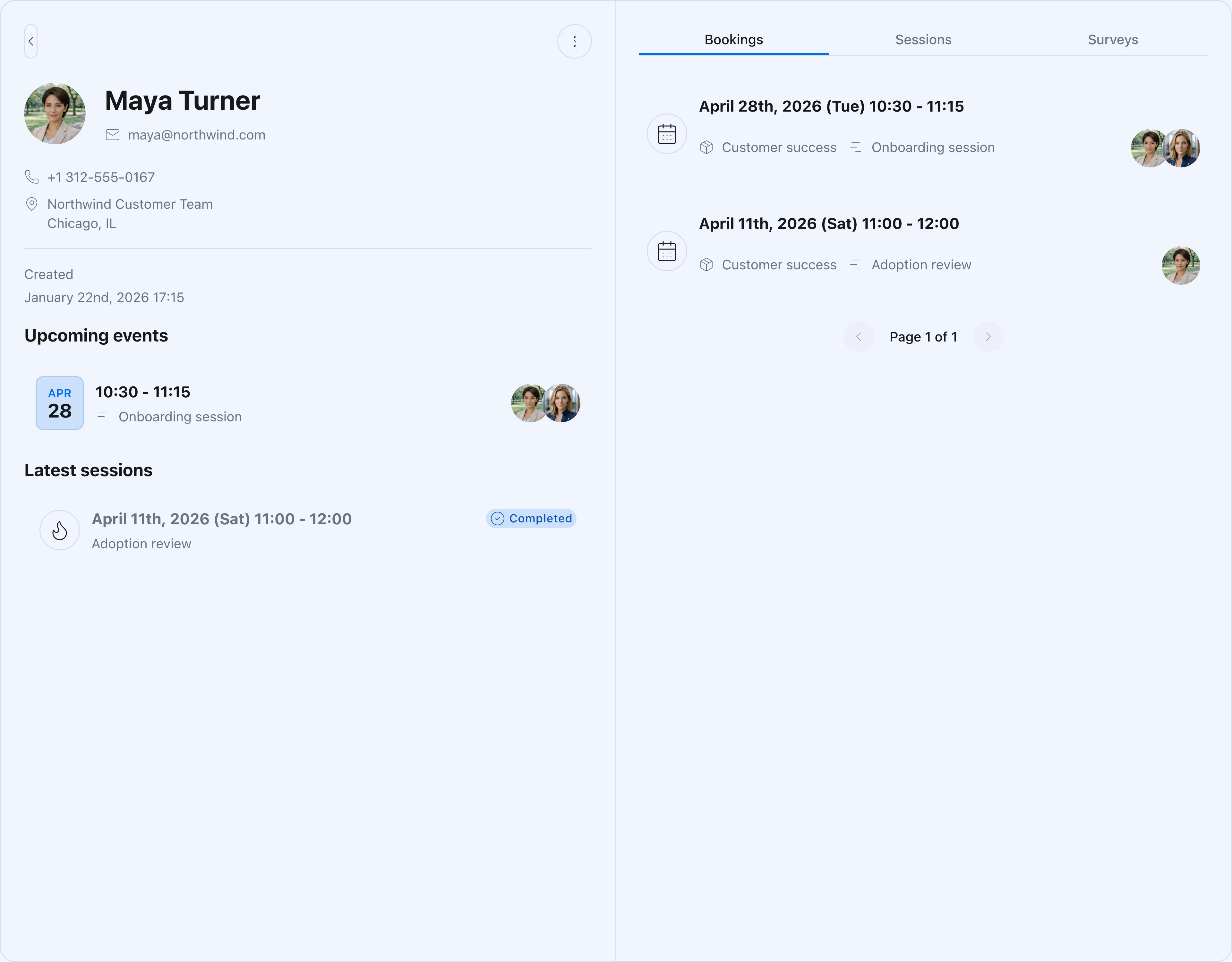
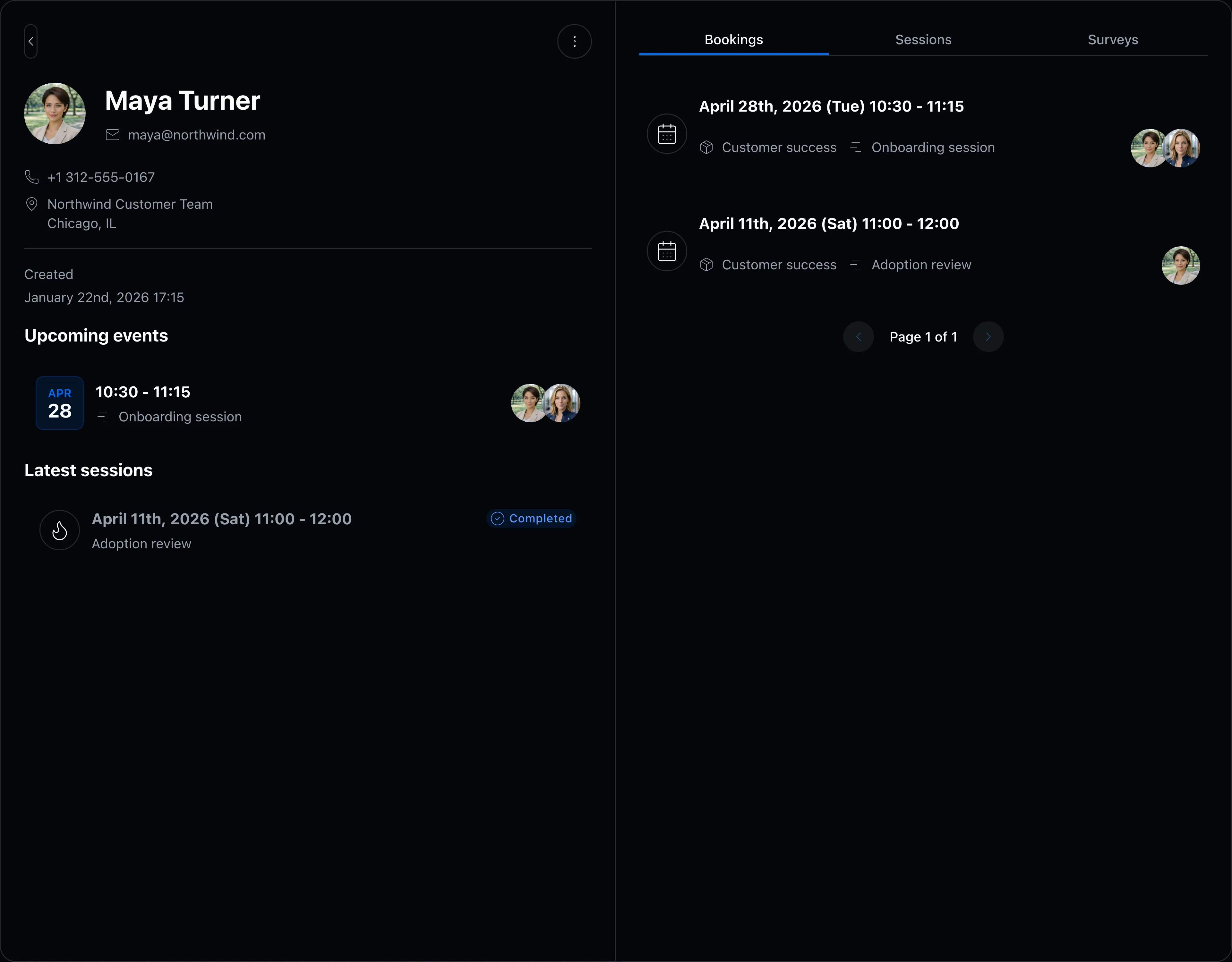
Meeting history and contacts, one screen

Contact details and past meetings live together, so whoever picks up the account can see the whole story at a glance.

  • Contact records organized automatically as bookings come in
  • Past meetings and notes visible per customer
  • Control which booking slots and CRM data each member can access
Contact detail and booking history screen

FAQ

Is it easy for customers to use?
Yes. Customers book without an account — they just pick a time on the booking page. It is mobile-ready and multilingual, with light and dark modes built in.
Can we use different booking links per meeting type?
Yes. Create separate booking slots for onboarding, check-ins, and troubleshooting, each with its own link, meeting length, and assigned members.
Can we review past meetings with a customer?
Yes. The built-in CRM shows booking history and notes per contact, which makes handovers and account transitions much smoother.

Related articles

Chronock scheduling and calendar sync OG image

Chronock

The hunt for free slots ends here.

Turn Google Calendar availability into booking pages, then add calendar sync when you need it. Start with the free plan.

Free

For individuals starting with booking and private calendar sync

$0/month

  • 1 active booking slot
  • Shareable booking page
  • Multiple calendar connections
  • Zoom and Slack integrations
  • 1 one-way calendar sync rule (Busy only)
Get started free

Pro

Streamline scheduling and cross-calendar sync for freelancers and teams

Most popular

$6.67+/ user / month

Effective monthly price with annual billing

  • Unlimited booking slots
  • Unlimited one-way and bidirectional sync with event details
  • Group scheduling
  • CRM (bookings & contacts)
Start 7-day Pro trial