Clockwise Alternatives After the March 2026 Shutdown
Clockwise shut down on March 27, 2026. Compare alternatives by the job you used it for: focus time, scheduling links, or keeping personal calendars in sync.
Clockwise is no longer available. Its official site says the Clockwise team joined Salesforce and that the product stopped being available on March 27, 2026. If you used Clockwise, you need a replacement for whatever it was doing on your calendar.
Clockwise did several jobs at once: protecting Focus Time, moving Flexible Meetings, sharing scheduling links, and blocking your work calendar for personal events. The best alternative depends on which of those you actually relied on. A team that loved AI meeting optimization needs a different tool than a freelancer who mostly used Clockwise so clients could not book over a school pickup.
This article is published on Chronock’s own blog, so fairness matters. We say plainly where another tool is the better fit. Competitor information below is current as of October 2026, based on each service’s official pages and help docs. Pricing and features change, so check the latest pages before deciding.
What happened to Clockwise
These points come from the FAQ on getclockwise.com:
- The product ended on March 27, 2026. Customer support also ran until that date.
- Clockwise events were removed from calendars. Smart Hold events created by Clockwise, including Focus Time, Travel Time, Meeting Breaks, and Personal Calendar synced events, were removed. Flexible Meetings stopped moving.
- Scheduling links stopped working. Clockwise told customers to move their links to another service.
- User data was scheduled for deletion, not transfer. Clockwise said there would be no data transfer to Salesforce and that all user data would be deleted shortly after March 27, 2026.
- Prorated refunds were promised. Clockwise said subscriptions prepaid past March 27, 2026 would receive a prorated refund.
- Clockwise recommended Reclaim. It partnered with Reclaim.ai on a migration path for AI scheduling, Focus Time, Habits, and Smart Meetings.
Salesforce told The Register that it was not acquiring Clockwise or its technology. Team members joined its Agentforce team.
If you only noticed recently that personal events no longer block your work calendar, or that focus blocks disappeared, this is why.
Short answer: pick by the job Clockwise did for you
| What you used Clockwise for | Closest alternatives |
|---|---|
| AI Focus Time and meetings that move themselves | Reclaim.ai (Clockwise’s own recommendation), or Motion if you also want AI task and project planning |
| Focus Time blocks on a Google Workspace account, without a new tool | Google Calendar’s built-in focus time, on eligible Workspace plans |
| One calendar app with AI time blocking for tasks | Morgen |
| Blocking your work calendar for personal events | Chronock, Reclaim.ai, Notion Calendar, or a sync tool such as OneCal |
| A scheduling link that checks the calendars you choose | Chronock, Reclaim.ai, Morgen, Notion Calendar |
| A free calendar app that shows all accounts together | Notion Calendar, or Chronock Free for up to 2 calendar connections |
Comparison table
“Busy copies” means the tool writes events from one calendar into another calendar, so coworkers, clients, and other booking tools see the time as busy.
| Service | Free plan | Paid pricing (as listed) | Calendars | Busy copies | Booking links | AI planning |
|---|---|---|---|---|---|---|
| Reclaim.ai | Yes (1 sync, 1 link, 2 calendars) | Starter $10/seat/month billed annually, $12 monthly | Google, Outlook | Yes | Yes | Yes |
| Motion | No (free trial) | Pro AI listed at $19/seat/month; confirm billing terms on the pricing page | Google, Outlook (Office 365 / Exchange Online), iCloud | Not documented | Yes | Yes |
| Morgen | No (14-day trial) | $15/month billed yearly, $30 monthly | Google, Outlook, iCloud, Fastmail, and more | Yes, workflow runs daily | Yes | Yes (suggestions you confirm) |
| Notion Calendar | Yes (included in Notion’s Free plan) | — | Google, Outlook, iCloud | Yes, auto-block | Yes | No |
| Google Calendar focus time | Included with eligible Workspace plans | — | Google only | No | Appointment schedules | No |
| Chronock | Yes (2 connections, 1 one-way busy-only rule, 1 booking slot) | Pro $9/user/month or $80/year | Google, Outlook (Microsoft 365) | Yes | Yes | No |
If you want Clockwise’s AI scheduling back
Reclaim.ai
Reclaim.ai is the tool Clockwise pointed its customers to. It has AI-scheduled Focus Time, Habits, Buffer Time, Smart Meetings, scheduling links, and calendar sync for Google Calendar and Outlook.
Its pricing page lists a free Lite plan with 1 calendar sync, 1 scheduling link, 2 connected calendars, and a one-week scheduling range. Starter is $10/seat/month billed annually ($12 monthly). Business is $15/seat/month billed annually ($18 monthly) with unlimited syncs and links. Reclaim’s switching discount still lists people coming from Clockwise. Its separate Clockwise price-match offer ran through June 30, 2026.
If Focus Time and Flexible Meetings were the reason you used Clockwise, start here. For a closer look at Reclaim’s sync and link limits, see Reclaim.ai alternatives.
Motion
Motion goes further into planning. Its pricing page lists AI projects and tasks, an AI task planner, AI calendar and meetings, docs, and iOS, Android, and desktop apps. It connects Google Calendar, Outlook (Office 365 and Exchange Online), and iCloud according to its supported providers page. There is no free plan, only a free trial.
Motion fits if you want software to plan your whole day around tasks and deadlines. We did not find a documented feature that copies busy blocks from one calendar into another, so do not count on it to replace Clockwise’s personal calendar sync.
Google Calendar focus time
If you are on Google Workspace and only want focus blocks, you may not need a new tool. Google’s focus time help page says focus time events can mute Chat notifications and decline meetings automatically. It is available on Workspace Business Standard and Plus, Enterprise Standard and Plus, Education, and Nonprofits. It is not available on a personal Gmail account, and it does not move blocks around your meetings the way Clockwise did.
If you want one calendar app with AI time blocking
Morgen combines Google, Outlook, iCloud, Fastmail, and other calendars in one app on Windows, macOS, Linux, the web, and mobile. Its AI Planner suggests where tasks fit, and you confirm the plan. It pulls tasks from tools such as Notion, Todoist, Linear, and ClickUp, and includes a booking page and scheduling links.
Morgen can also block time across calendars with its calendar propagation workflow. According to that guide, the workflow runs daily at 6:00 pm for the next 14 days, or when you run it manually. Changes reach the destination calendar after the next run.
The pricing page lists $15/month billed yearly or $30 billed monthly, with a 14-day free trial. Full comparison: Morgen vs Chronock.
If you mainly used Clockwise to block personal time
For many freelancers, consultants, and coaches, the most useful part of Clockwise was quiet: personal events showed up as busy on the work calendar. When Clockwise ended, those blocks were removed. Clients, coworkers, and booking tools could suddenly see the time as free.
Several tools can rebuild this:
- Notion Calendar. Free, and its blocking feature can auto-block all events from one calendar onto another, with a “Show as busy” option. Full comparison: Notion Calendar vs Chronock.
- Reclaim.ai. Its free Lite plan includes 1 calendar sync.
- Sync tools. OneCal, CalendarBridge, and SyncThemCalendars focus on copying events between calendars; supported providers vary by tool. See OneCal alternatives for details.
- Chronock. Sync rules, a unified calendar, and booking pages in one app, described below.
Chronock: busy copies, one calendar view, and booking pages
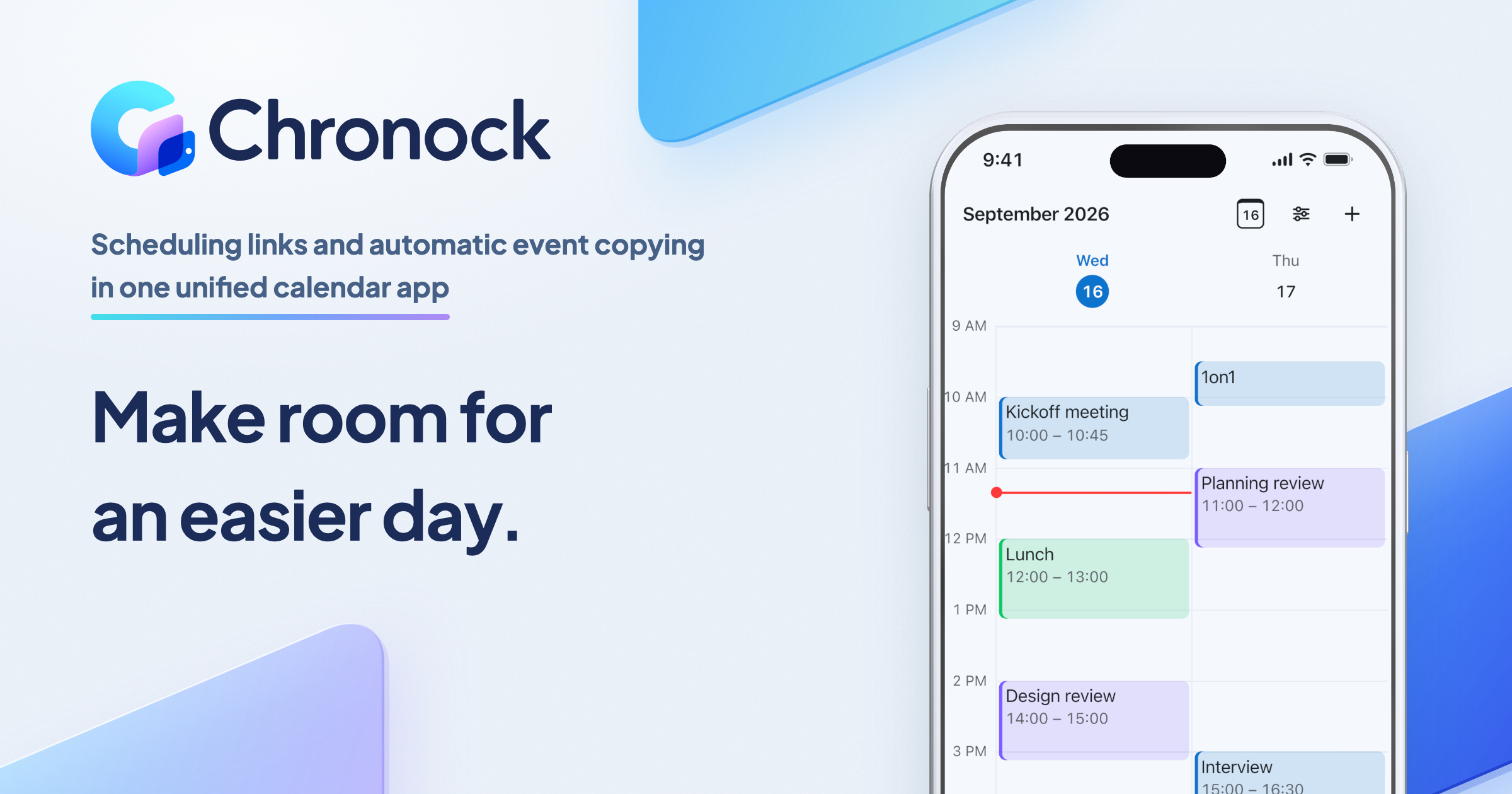
Chronock is a unified calendar with scheduling and automatic event copying. It has no AI planner and does not replace Focus Time. It covers the other half of what many solo professionals used Clockwise for: keeping several calendars from double-booking you, and sharing a link clients can book.
Chronock does not replace Google Calendar or Outlook. Your events stay in those calendars, and Chronock reads and writes them there.
Copy personal time to your work calendar as “Busy”
Sync rules copy events one-way or two-way, between Google calendars, between Outlook calendars, or across the two. A busy-only copy is a real event titled “Busy” in the destination calendar, so coworkers’ free/busy lookups and client booking tools see it. Copies update or disappear when the original changes.
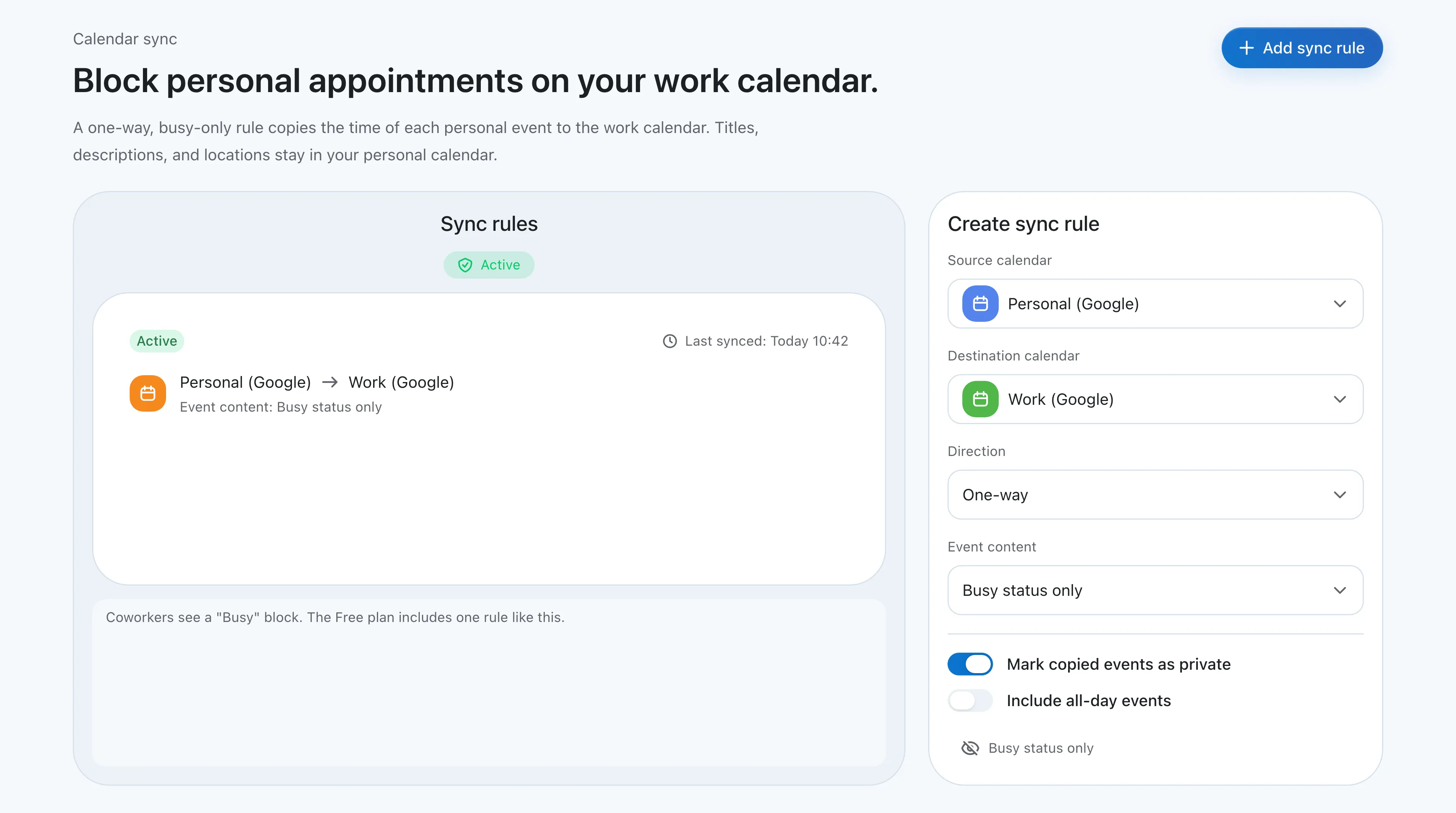 A one-way, busy-only rule from a personal calendar to a work calendar. The Free plan includes one rule like this.
This is the closest replacement for Clockwise’s Personal Calendar sync. The Free plan includes one one-way, busy-only rule, which covers the most common setup: personal events block the work calendar. For step-by-step setup, see How to add personal appointments to your work calendar.
See every calendar together
The integrated calendar shows several Google accounts and Microsoft 365 Outlook calendars in one view, in day, 2-day, 3-day, week, and month layouts. You can create, edit, and delete events in connected Google and Outlook calendars and choose which calendar each new event is saved to. A “Show copied events” switch hides Chronock’s own copies so the same appointment does not appear twice.
Booking pages that check the calendars you choose
Clockwise scheduling links stopped working on March 27, 2026. Chronock booking pages check the calendars you include in availability checks before offering a time, so a client cannot book over an event in any calendar you include in availability checks.
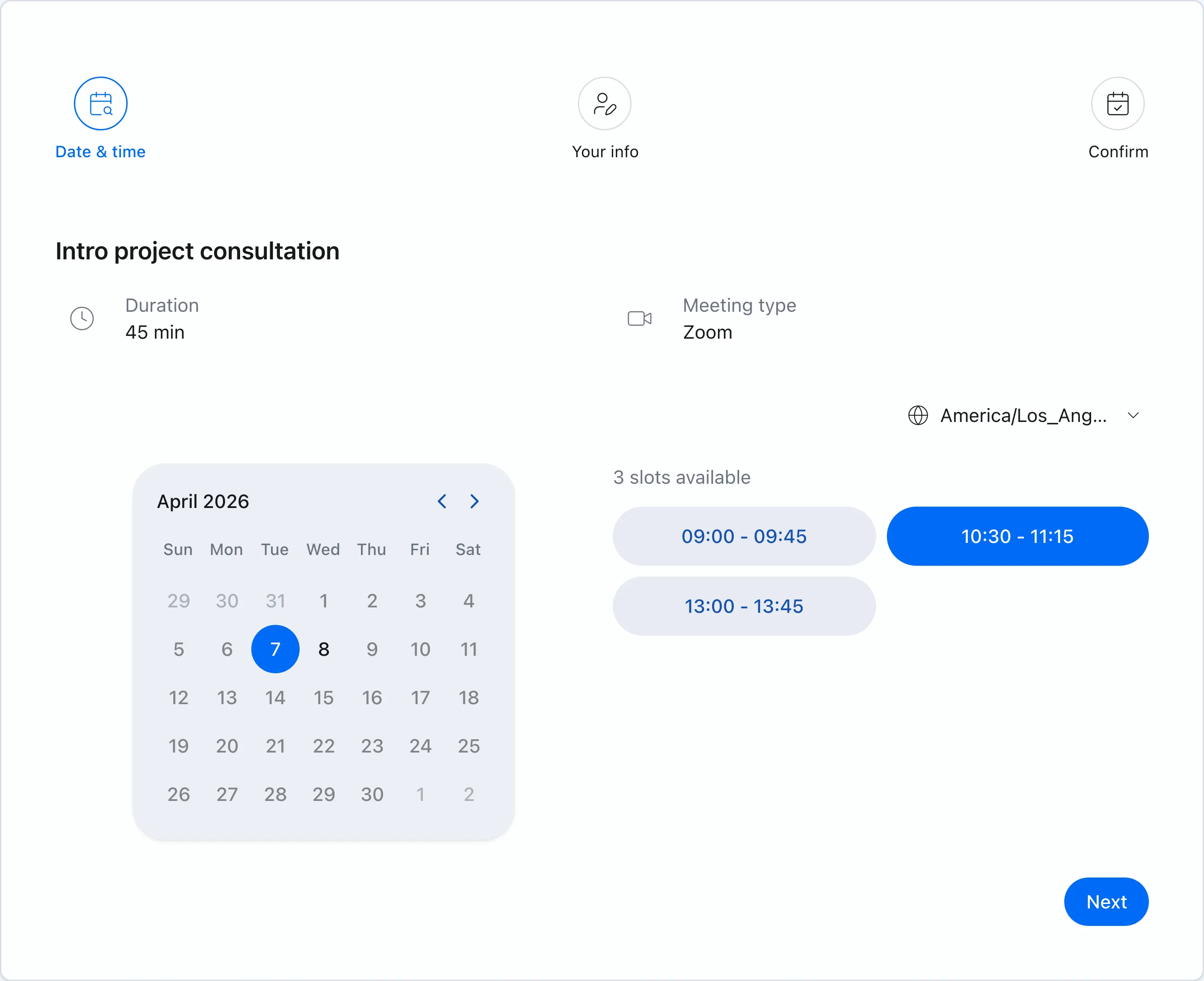 A booking page for a client intro call. Only times that are free in every calendar included in availability checks are offered.
When a link feels too formal for a client, Chronock turns open times into candidate-times text you paste into an email. On Pro, holds protect those times while you wait, with a default 24-hour expiry, and bookings and contacts are kept in a simple CRM. For the etiquette side, see When to send candidate times instead of a scheduling link.
Pricing
Chronock Free includes up to 2 calendar connections across Google and Outlook, 1 active booking slot with a shareable booking page, availability checks, and one one-way, busy-only sync rule. Chronock Pro is $9/user/month, or $80/year, and adds unlimited connections and rules, two-way sync, copying titles and descriptions, unlimited booking slots, holds, and the CRM. Pro has a 7-day free trial.
What Chronock does not do
- No AI scheduling. There is no Focus Time, Habits, or meeting optimization. If that was the core of Clockwise for you, use Reclaim.ai or Motion.
- No iCloud. Use Notion Calendar, Morgen, OneCal, or CalendarBridge if iCloud is part of your setup.
- Microsoft 365 work or school accounts only. Personal Microsoft accounts (Outlook.com, Hotmail) are not supported.
- One calendar per connected account. Chronock uses the primary calendar of each connected Google or Microsoft 365 account. Other calendars inside the same account are not imported.
- Company accounts may need admin approval. Google Workspace and Microsoft 365 admins can restrict third-party apps.
- Platform coverage. Chronock offers web, Android, and Mac for Apple Silicon. Its download page does not list an iOS, Windows, or Linux app.
Choosing by situation
| Situation | Consider |
|---|---|
| Your team relied on Focus Time and Flexible Meetings | Reclaim.ai |
| You want AI to plan tasks, projects, and meetings together | Motion |
| You only need focus blocks on a Workspace Business Standard or higher account | Google Calendar focus time |
| You want one app for all calendars plus AI time blocking for tasks | Morgen |
| You want a free calendar app with basic cross-calendar blocking | Notion Calendar |
| You need iCloud in the mix | Notion Calendar, Morgen, Motion, OneCal |
| You are a freelancer, consultant, or coach on Google and Microsoft 365 calendars, and want busy copies plus a client booking page | Chronock |
| You want free busy blocking plus a booking page | Chronock (Free), Reclaim.ai (Lite), Notion Calendar |
FAQ
When did Clockwise shut down?
Clockwise’s site says the product would no longer be available starting on March 27, 2026, after the team joined Salesforce. Customer support ran until the same date.
Can I still export my Clockwise data?
Clockwise said user data would be deleted shortly after March 27, 2026, and directed data questions to its support email. Do not expect to recover old settings. Rebuild Focus Time, links, and sync rules in the new tool instead.
What did Clockwise recommend as an alternative?
Clockwise recommended Reclaim.ai for AI scheduling of Focus Time, Habits, and Smart Meetings, and Reclaim published migration offers for Clockwise customers.
Why is my personal time no longer blocked on my work calendar?
Clockwise removed its Smart Hold events, including Personal Calendar synced events, when the service ended. You need a new tool that writes busy events into your work calendar, such as Chronock, Reclaim.ai, Notion Calendar, or a dedicated sync tool.
Is there a free Clockwise alternative?
Yes, for some jobs. Reclaim.ai Lite is free with 1 sync and 1 scheduling link. Notion Calendar is free and includes scheduling links and auto-blocking. Chronock Free includes 2 calendar connections, a booking page, and one one-way, busy-only sync rule. Google Calendar focus time is included on eligible Workspace plans.
Bottom line
If Clockwise was your AI scheduler, Reclaim.ai is the closest replacement, and Motion goes further into task planning. If it was mostly a way to keep personal events from being booked over, and to share a link that respects all your calendars, a smaller tool is enough.
For freelancers, consultants, and coaches whose calendars are on Google and Microsoft 365, Chronock combines busy-only copies, a unified calendar view, and booking pages, with a free tier and a $9/user/month Pro plan.