Reclaim.ai pricing 2026: plans, free plan limits, discounts
Reclaim.ai pricing in November 2026: free Lite plan limits, Starter ($10-$12/seat), Business ($15-$18/seat), Enterprise ($22/seat), trials, and discounts.
This guide breaks down Reclaim.ai’s plans, free Lite plan limits, annual vs. monthly billing math, trial rules, and discounts, plus lower-cost options if you only need calendar sync and booking links. Unless noted otherwise, every Reclaim figure comes from the official Reclaim.ai pricing page and help center as of November 2026.
Quick answer
| Question | Answer (as of November 2026) |
|---|---|
| Is there a free plan? | Yes. Lite is free forever for 1 user (2 connected calendars, 1 calendar sync, 1 scheduling link, 1-week range). |
| Starter price | $10/seat/month billed yearly ($120/year) or $12/seat/month monthly, up to 10 seats. |
| Business price | $15/seat/month billed yearly ($180/year) or $18/seat/month monthly, up to 100 seats. |
| Enterprise price | $22/seat/month billed annually only, 100+ seats (“Over 100” on the pricing table; 100-seat minimum purchase per the help center). |
| Annual vs monthly | Saves $24/seat/year on Starter and $36/seat/year on Business (~17%), though Reclaim states “SAVE 20%” on the toggle and 29% in FAQ/help docs. |
| Free trial? | Reclaim’s site navigation says “Explore a free 14-day trial”; the trial help article states “a free, 30-day trial for every new subscription.” Confirm at signup. |
| Discounts | 50% off for 12 months (education); 20% off for 3 years (nonprofit, startup); 20% off for 6 months (switching from Clockwise, Motion, Calendly). Excludes Enterprise; not stackable. |
| Which plans support Outlook? | All plans (Lite, Starter, Business, Enterprise) support Outlook Calendar and Google Calendar. |
| Cheapest option for just calendar sync + booking links | $0 on Reclaim Lite (2 connected calendars, 1 sync, 1 link) or Chronock Free (2 primary Google or Microsoft 365 calendars, 1 Busy-only sync rule, 1 active booking slot). Paid: OneCal Starter ($60/year, 2 calendars) or Chronock Pro ($80/year, unlimited primary calendars). |
Reclaim.ai plans at a glance
The Reclaim.ai pricing page lists four plans. Starter and Business have no seat minimum (an individual can buy 1 seat), and per the pricing and plans help article (updated August 5, 2026), all users on a team must be on the same plan.
| Plan | Annual billing | Monthly billing | Seats | Calendar syncs | Scheduling links | Connected calendars | Scheduling range |
|---|---|---|---|---|---|---|---|
| Lite | Free forever | Free forever | 1 user team | 1 | 1 | 2 | 1 week (excl. Scheduling Links) |
| Starter | $10/seat/mo | $12/seat/mo | Up to 10 | 3 or Unlimited* | 3 | Unlimited | 8 weeks |
| Business | $15/seat/mo | $18/seat/mo | Up to 100 | Unlimited | Unlimited | Unlimited | 12 weeks |
| Enterprise | $22/seat/mo | Annual only | 100+ (“Over 100”; min 100) | Unlimited | Unlimited | Unlimited | 12 weeks |
*For Starter calendar syncs, the plan card says 3; the comparison table and help center say unlimited — confirm at checkout.
All plans include Focus Time, Habits, Buffer Time, Smart Meetings, and Meeting Quality. Other limits scale by tier:
- Lite: 5 AI Agents, limited integrations, Community Support.
- Starter: 10 AI Agents/seat, unlimited integrations, Basic Support.
- Business: 100 AI Agents/seat, unlimited integrations plus webhooks, Priority Support.
- Enterprise: unlimited AI Agents/seat, SSO & SCIM, Dedicated Support.
What the free Lite plan includes (and its limits)
Lite gives one person Reclaim’s AI scheduling features (Focus Time, Habits, Buffer Time, Smart Meetings) for free. The limits are what push people to upgrade: Reclaim plans only 1 week ahead (the table excludes Scheduling Links from this range), you can connect only 2 calendars, run 1 calendar sync, and share 1 scheduling link, which carries Reclaim branding. A third calendar, a second sync, or a second link means moving to Starter. For more on how booking links work across tiers, see Reclaim.ai scheduling links.
Starter vs Business: what you actually get for the upgrade
Starter ($10/seat/month yearly, $12 monthly, up to 10 seats) and Business ($15/seat/month yearly, $18 monthly, up to 100 seats) both unlock unlimited connected calendars and unlimited integrations, with an 8-week range on Starter and 12 weeks on Business.
Key upgrades from Starter to Business:
- Calendar syncs: Unlimited on Business. On Starter, the plan card says 3; the comparison table and help center say unlimited — confirm at checkout.
- Scheduling links: 3 on Starter vs unlimited on Business.
- Branding: Custom branding settings and removing Reclaim branding require Business (or Enterprise).
- Team OOO Calendar: Included starting on Business.
- Delegated Access: Included on Business for executive assistants and admins.
- Webhooks: Webhooks support starts on Business.
Enterprise
Enterprise is $22/seat/month, billed annually only (“Unavailable on monthly plans”), for 100+ seats (the pricing table says “Over 100”; the pricing help article states a 100-seat minimum purchase). It includes all Business features plus unlimited AI Agents/seat, SSO & SCIM, and Dedicated Support.
Annual vs monthly billing: how much you save
Reclaim’s stated annual savings percentage varies: the toggle on the Reclaim.ai pricing page says “Yearly - SAVE 20%”, while the FAQ and help article state 29%. Computed from the list prices, annual billing costs about 17% less than paying monthly for 12 months (the dollar difference equals 20% of the annual price):
- Starter: $120/seat/year ($10 × 12) vs $144 monthly ($12 × 12) — $24 less (about 17%).
- Business: $180/seat/year ($15 × 12) vs $216 monthly ($18 × 12) — $36 less (about 17%).
Discounts
Reclaim offers four discounts per the pricing page and Discounts at Reclaim.ai (updated August 5, 2026):
- Education: 50% off Starter or Business for 12 months for students, educators, and faculty (education discount page); re-apply yearly while eligible.
- Nonprofit: 20% off for 3 years.
- Startup: 20% off for 3 years; requires min 2 seats, under 100 employees, raised < $10M, founded < 5 years ago, and domain capture enabled (startup discount guide, updated September 16, 2026).
- Switching providers: 20% off for 6 months when switching from Clockwise, Motion, or Calendly (see Clockwise alternatives).
Discounts apply to paid plans except Enterprise, are not stackable, and are for first-time purchases only.
Does Reclaim support Outlook on every plan?
Yes. Per the plan comparison table on the Reclaim.ai pricing page, Outlook Calendar support and Google Calendar support are included on every plan, from free Lite to Enterprise. The plan limits still apply: Lite allows 2 connected calendars and 1 calendar sync in total, while Starter and above allow unlimited connected calendars.
Is Reclaim worth it? Who should pay for which plan
If you need AI time blocking (Habits, Focus Time, Buffer Time, Smart Meetings), Reclaim is the right tool: Lite ($0) covers 1 user across 2 calendars; Starter ($10–$12/seat/month) adds an 8-week range, unlimited connected calendars, and 3 links; Business ($15–$18/seat/month) adds unlimited links, branding removal, Team OOO Calendars, Delegated Access, and webhooks. If you only need calendar sync and booking links for an individual, dedicated options cost less for those items—see Reclaim.ai alternatives.
Cheaper options if you only need calendar sync and booking links
If you don’t need Reclaim’s AI time blocking, what you pay depends mostly on how many calendars you connect. For 2 calendars, Reclaim Lite and Chronock Free both cost $0, and OneCal Starter ($60/year) adds unlimited syncs and links for those 2 calendars. Once you connect 3 or more calendars or want to remove branding, Chronock Pro ($80/year) costs less than Reclaim Starter ($120/year), OneCal Essential ($120/year, up to 5 calendars), or OneCal Premium ($300/year, the OneCal plan that removes branding).
| Tool & Plan (Nov 2026) | Price (per user) | Calendars | Calendar Syncs | Booking Links / Slots | Remove Branding |
|---|---|---|---|---|---|
| Reclaim Lite | $0 | 2 | 1 | 1 | No |
| Reclaim Starter / Business | $120 / $180/yr ($12 / $18/mo monthly) | Unlimited | 3 or Unlimited* / Unlimited | 3 / Unlimited | Business only |
| OneCal Starter / Essential / Premium | $5 / $10 / $25/mo annual ($60 / $120 / $300/yr) | 2 / 5 / 50 | Unlimited | Unlimited | Premium only |
| Chronock Free | $0 | Up to 2 primary** | 1 one-way (“Busy” only) | 1 active booking slot | No |
| Chronock Pro | $80/yr (~$6.67/mo) or $9/mo | Unlimited primary** | Unlimited (1-way & 2-way) | Unlimited slots | Yes |
*See the Starter sync note above. **Chronock connects the primary calendar of each Google or Microsoft 365 (work or school) account.
OneCal: Per OneCal’s pricing page, there is no free plan, with a 14-day free trial (no credit card). Annual plans (2 months free) cost $5/user/month ($60) on Starter for 2 calendars, $10 ($120) on Essential for 5 calendars, and $25 ($300) on Premium for 50 calendars. All plans include unlimited one-way and multi-way calendar syncs, unlimited scheduling links, and Google, Outlook, iCloud, and CalDAV support; branding removal is only on Premium. See Reclaim.ai vs OneCal and OneCal vs Chronock.
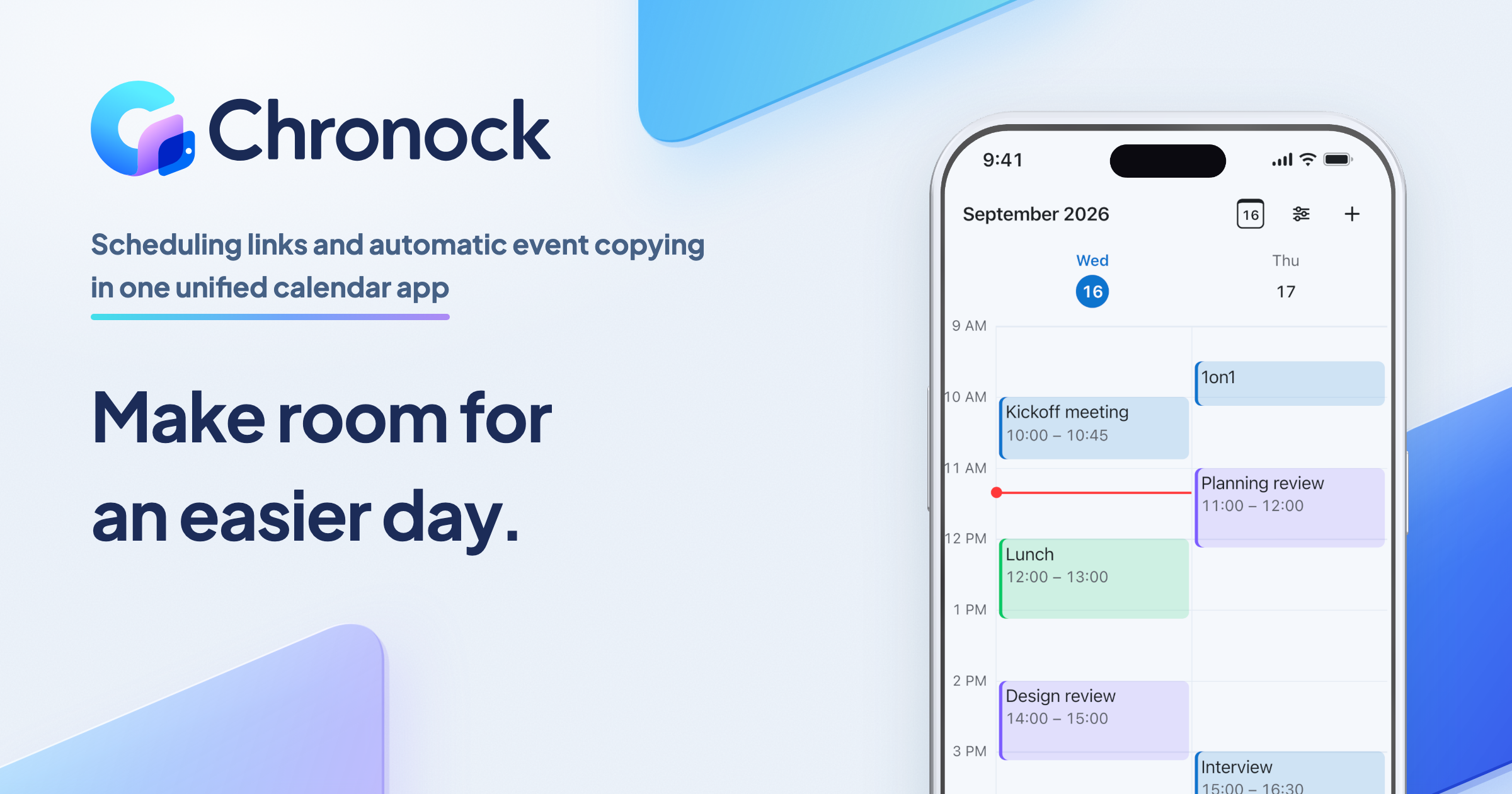
Chronock: Chronock is an integrated calendar with automatic event copying between calendars and booking pages. It doesn’t auto-schedule tasks, habits, or focus time, so if you need AI time blocking, Reclaim is the right tool.
- Free ($0): for 1 user. Connect up to 2 calendar accounts (Google or Microsoft 365), set up 1 one-way sync rule that copies events as “Busy” so the other calendar’s time is blocked and double bookings are avoided, and share 1 active booking slot through a booking page.
- Pro: $9 per user per month, or $80 per user per year (about $6.67/month). Prices are in US dollars; local currency and taxes may apply at checkout. Pro comes with a 7-day free trial.
- What Pro adds: unlimited connected calendars and sync rules, two-way sync, copying the title or title and description, unlimited booking slots, multiple Rooms to group booking slots by team or purpose, group scheduling, branding removal, and teams of up to 50 users (billed per user).
- Providers: Google Calendar and Microsoft 365 (work or school) Outlook. Personal Microsoft accounts (Outlook.com) and iCloud are not supported.
- Primary calendars only: Chronock connects the primary calendar of each Google or Microsoft account. Secondary calendars inside the same account aren’t included.
- Integrated calendar: see and edit events from all connected accounts in one place, on the web, in the iPhone and Android apps, or in the Mac app (Apple Silicon, macOS 14 or later).
- Booking pages: each one checks the connected calendars you attach to it (a host calendar plus up to five more), so a busy event on any of them blocks that time.
FAQ
Is Reclaim.ai free?
Yes. The Lite plan is free forever for 1 user, capped at 2 connected calendars, 1 calendar sync, 1 scheduling link, and a 1-week scheduling range.
How much is Reclaim per month?
Starter is $10/seat/month billed yearly ($12 monthly) and Business is $15/seat/month billed yearly ($18 monthly). Enterprise is $22/seat/month billed annually only, with a 100-seat minimum purchase.
Does Reclaim have a free trial?
Reclaim’s own pages differ: the navigation on /pricing links “Explore a free 14-day trial,” while the help article What happens at the end of a free trial? says Reclaim offers “a free, 30-day trial for every new subscription,” that you can downgrade to Lite during it, and “You may be charged if you do not downgrade by the end of the free 30-day trial.” Check the trial length and whether a card is required at signup.
Is there a Reclaim discount for switching from Calendly or Clockwise?
Yes. The Switching Providers Discount gives 20% off Starter or Business for 6 months when you switch from Clockwise, Motion, or Calendly (first-time purchases only, not stackable, not for Enterprise).
How many calendars can I sync on the free plan?
On the free Lite plan, you can connect up to 2 calendars and set up 1 calendar sync. Connecting more than 2 calendars or adding more syncs requires a paid plan.
Can I pay monthly for Enterprise?
No. Enterprise ($22/seat/month, 100-seat minimum) is annual-only and listed as “Unavailable on monthly plans.” Monthly billing is only available on Starter ($12/seat/month) and Business ($18/seat/month).
If you mainly need calendar sync, booking pages, and one view of your Google and Microsoft 365 calendars, start on Chronock Free ($0) or try Pro free for 7 days.